Workflow delete data - best practices
A typical workflow setup for deleting data.
Workflow setup
The workflow setup should be:
- Accept Input: Yes
- Required Input: Yes
- Hide Step Pane: Yes
- Window Size: Small
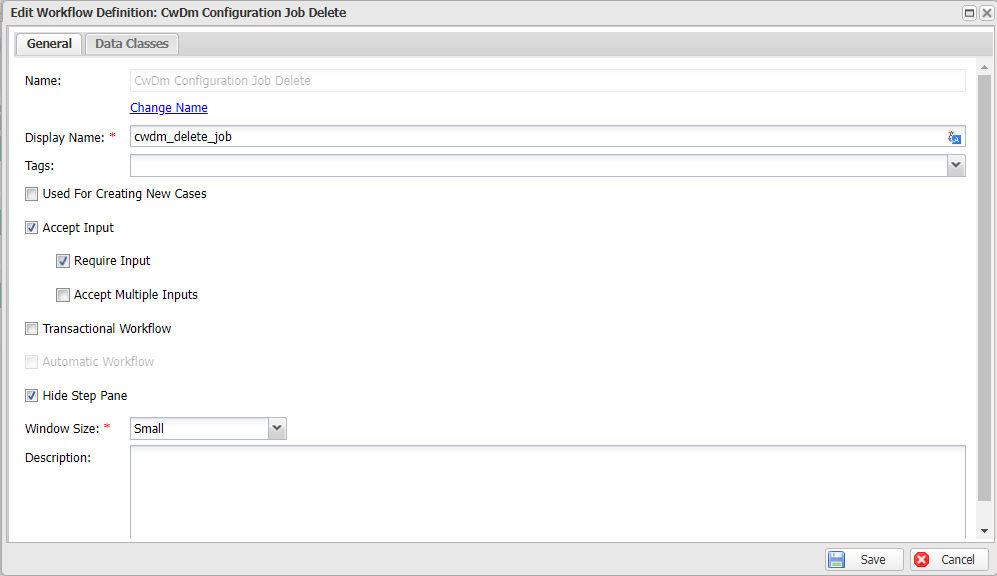
The activities should be configured as shown below:
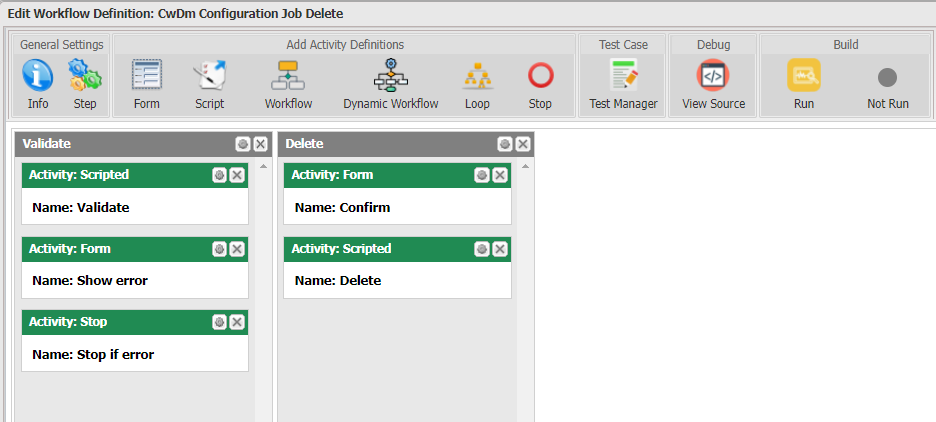
Scripted: Validate data
The workflow must validate whether the data is deletable. Many systems have constraints for deleting data, such as it must not be possible to delete a setting that is currently in use or an active user.
The activity should record validation errors in a workflow variable. In many cases, the error should be represented by a text resource key so that it can be displayed on the UI.
// Example: the data must be deactivated before deleting
if (ctx.Input.Get<bool>("IsActive"))
{
    // Set the error message to a workflow variable "Error"
    ctx.Set("Error", "cwdm_cannot_delete_active_job");
}
Form: Show error
Declare the variable to be used in the form, and then bind it to a CustomHTML component. Make sure you remember to apply the translate filter.
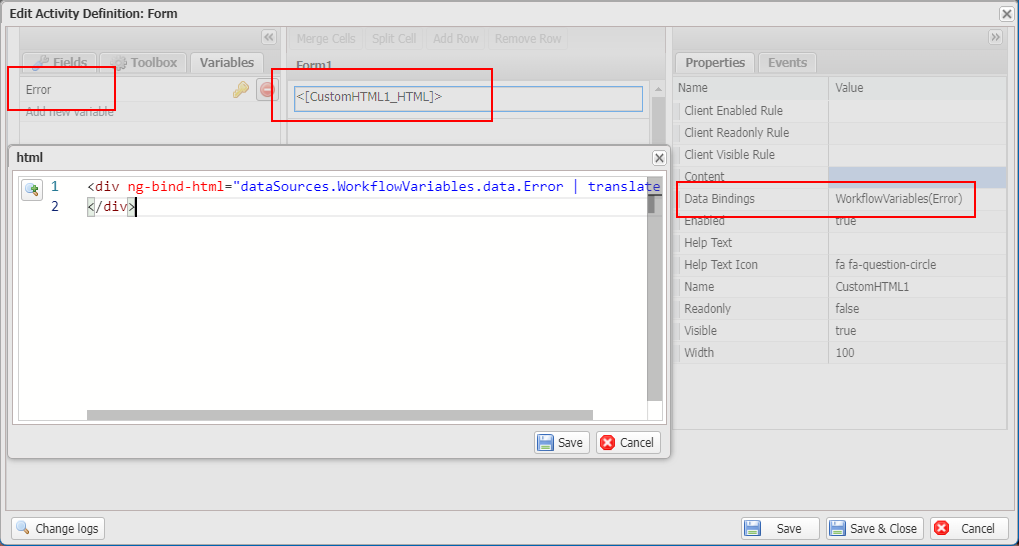
<div ng-bind-html="dataSources.WorkflowVariables.data.Error | translate"></div>
You must configure the Inclusion Logic so that the activity only executes when there is any error.
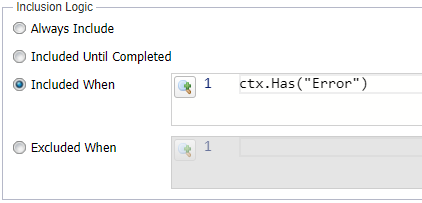
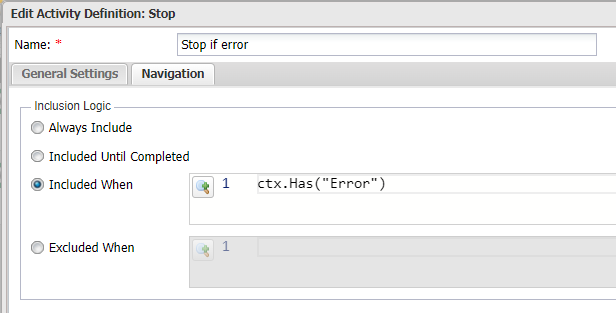
Stop: Stop if error
Use the Stop activity to stop the workflow. You must configure the Inclusion Logic so that the activity only executes when there is any error.
Form: Confirm
A form for confirming user decision. This is recommended for critical actions like deleting data.
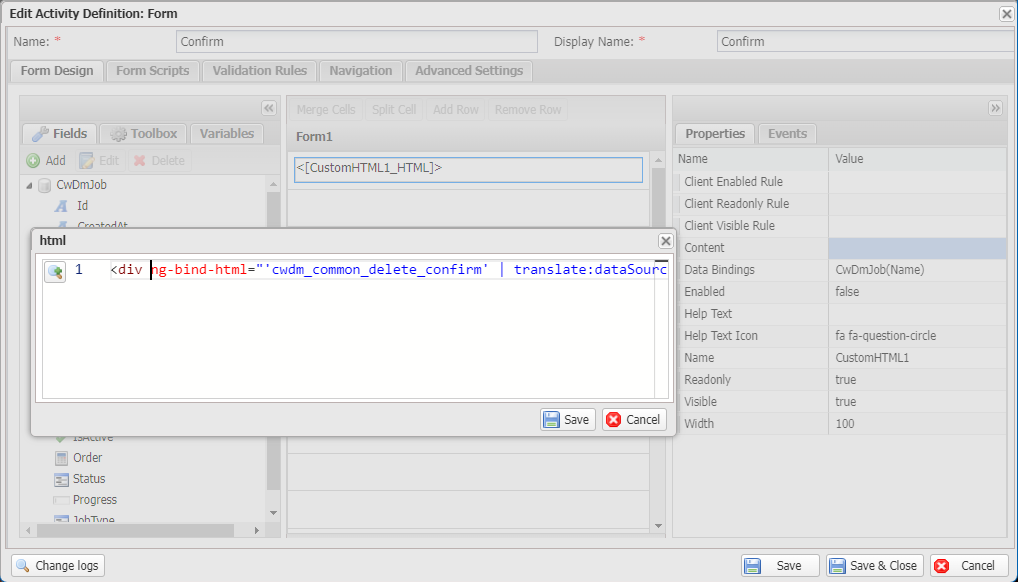
Remember to apply translation for the message:
<div ng-bind-html="'cwdm_common_delete_confirm' | translate:{Name: dataSources.CwDmJob.data.Name}" />
Scripted: Delete
var dataApi = ctx.Use<IDataApi>();
dataApi.Delete(ctx.Input.Id);