Test a rule
A rule test evaluates a rule for a given user, and checks the answer. This article tests the rule DocsPres Is Admin of the documentation's examples. It lets a user through when the user has the role Administrator:
#predicate
return @user.Contains("Roles", "Administrator");
Create the test
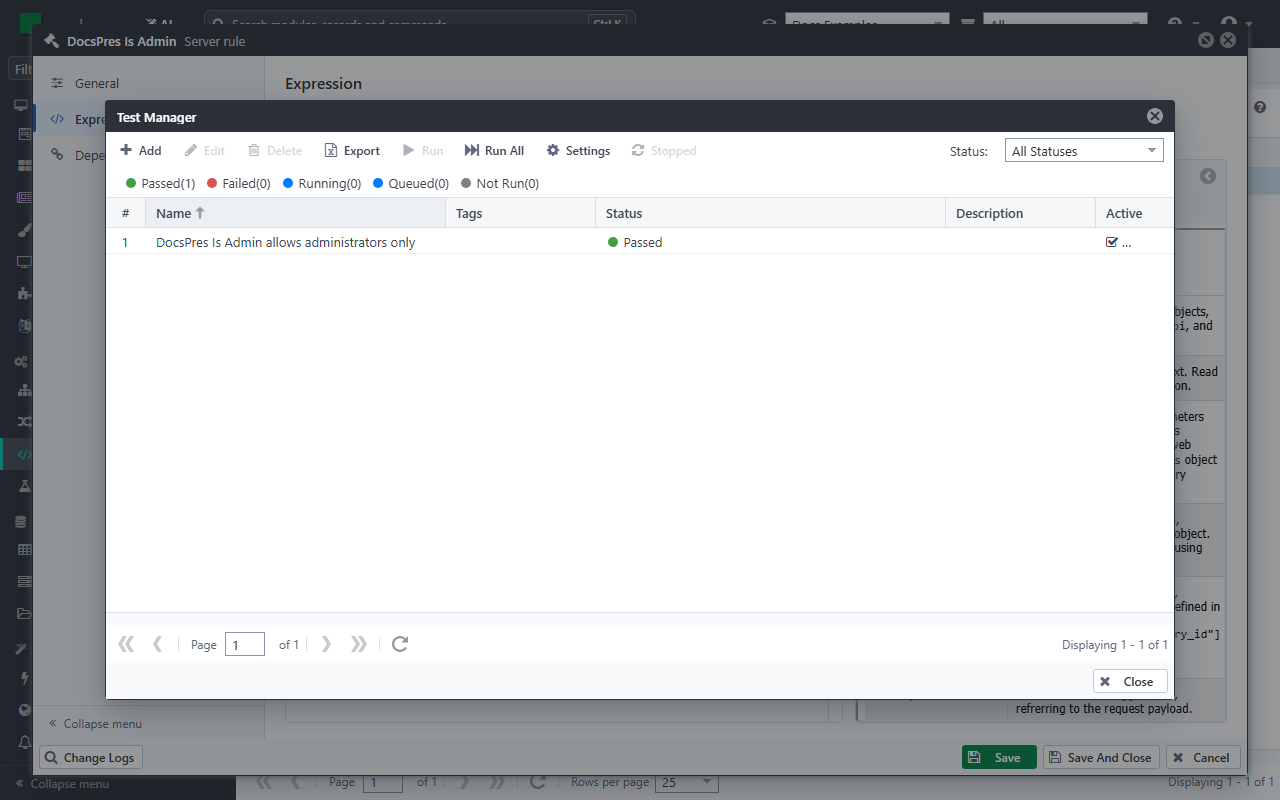
In Rules, open the rule, and click Test Manager in its Expression section. You can also select the rule in the list, and click More > Test Manager. The Test Manager lists the tests of the rule, with the result of their last run:
Click Add. The rule is the Resource Under Test already, and the test is named after it: give it a name that says what it checks, choose the Process it runs in, and click Save.
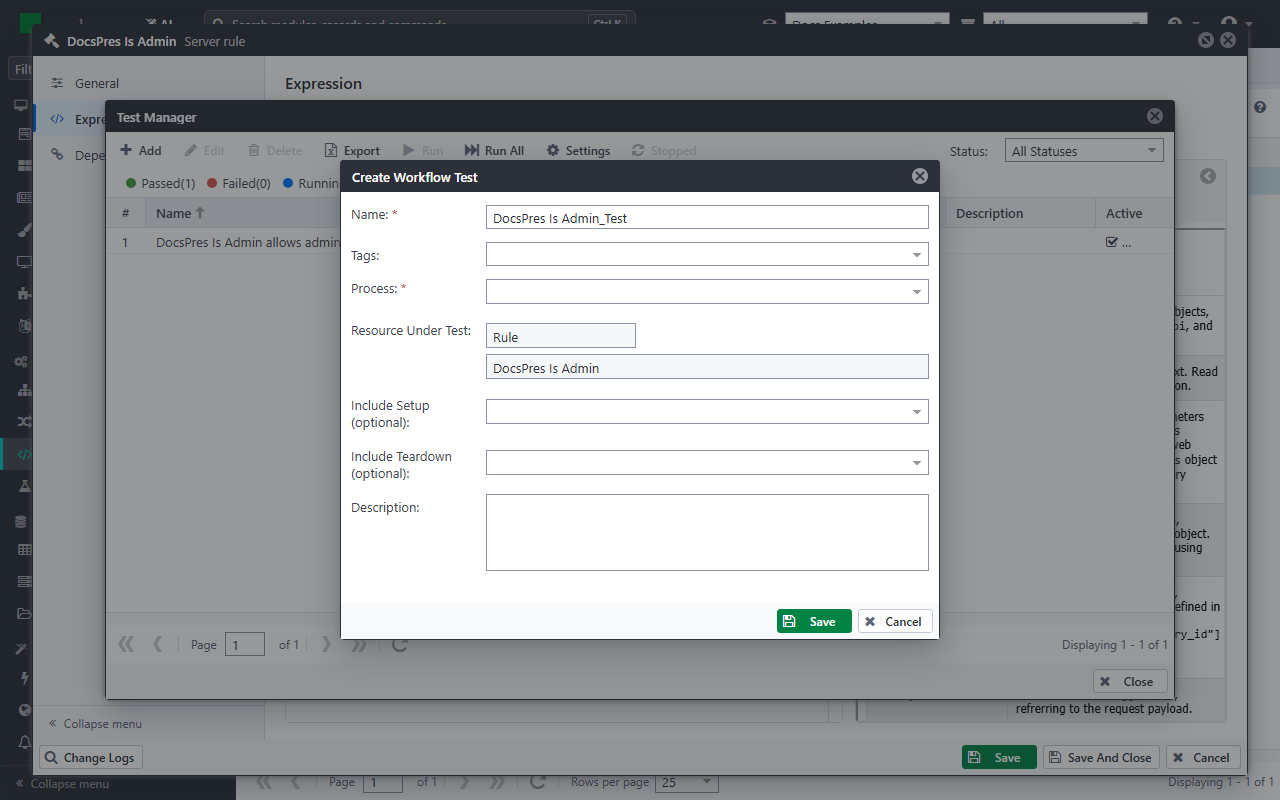
The test workflow has three scripts:
- Arrange gets the rule API and the identity API ready.
- Act evaluates the rule, and keeps its answer as
result. - Assert checks the answer:
testApi.True(result, "reason").
Test both sides of the rule
A test that only checks a user the rule lets through also passes when the rule lets everybody through. Check a user that the rule must stop too. The example evaluates the rule as an administrator and as a manager.
Arrange makes the user of the test an administrator:
var identityApi = ctx.Use<IIdentityApi>();

// The user of the test: an administrator
identityApi.SetClaim("Roles", "Administrator");
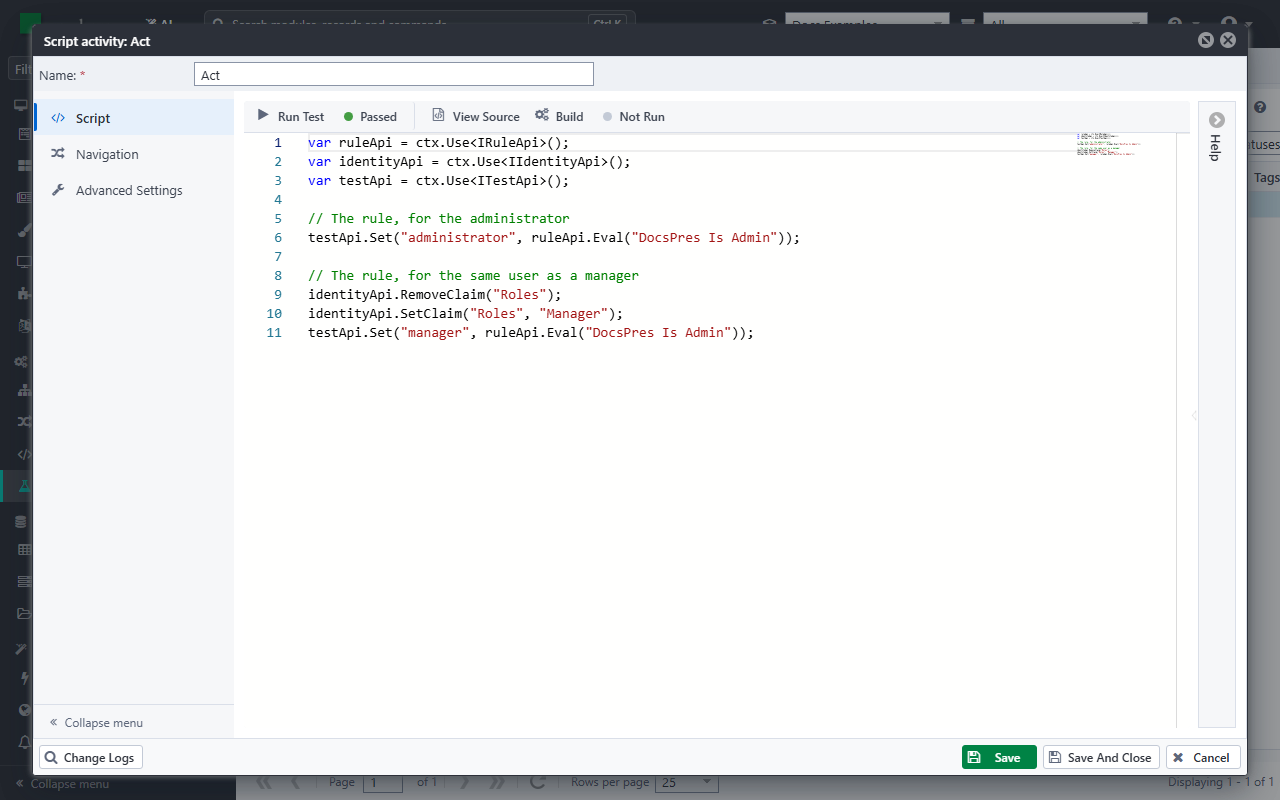
Act evaluates the rule for the administrator, then changes the role of the user to manager, and evaluates it again:
var ruleApi = ctx.Use<IRuleApi>();
var identityApi = ctx.Use<IIdentityApi>();
var testApi = ctx.Use<ITestApi>();

// The rule, for the administrator
testApi.Set("administrator", ruleApi.Eval("DocsPres Is Admin"));

// The rule, for the same user as a manager
identityApi.RemoveClaim("Roles");
identityApi.SetClaim("Roles", "Manager");
testApi.Set("manager", ruleApi.Eval("DocsPres Is Admin"));
Assert checks both answers:
var testApi = ctx.Use<ITestApi>();

testApi.Check(testApi.Get<bool>("administrator"), "An administrator passes the rule");
testApi.Check(!testApi.Get<bool>("manager"), "A manager does not pass the rule");
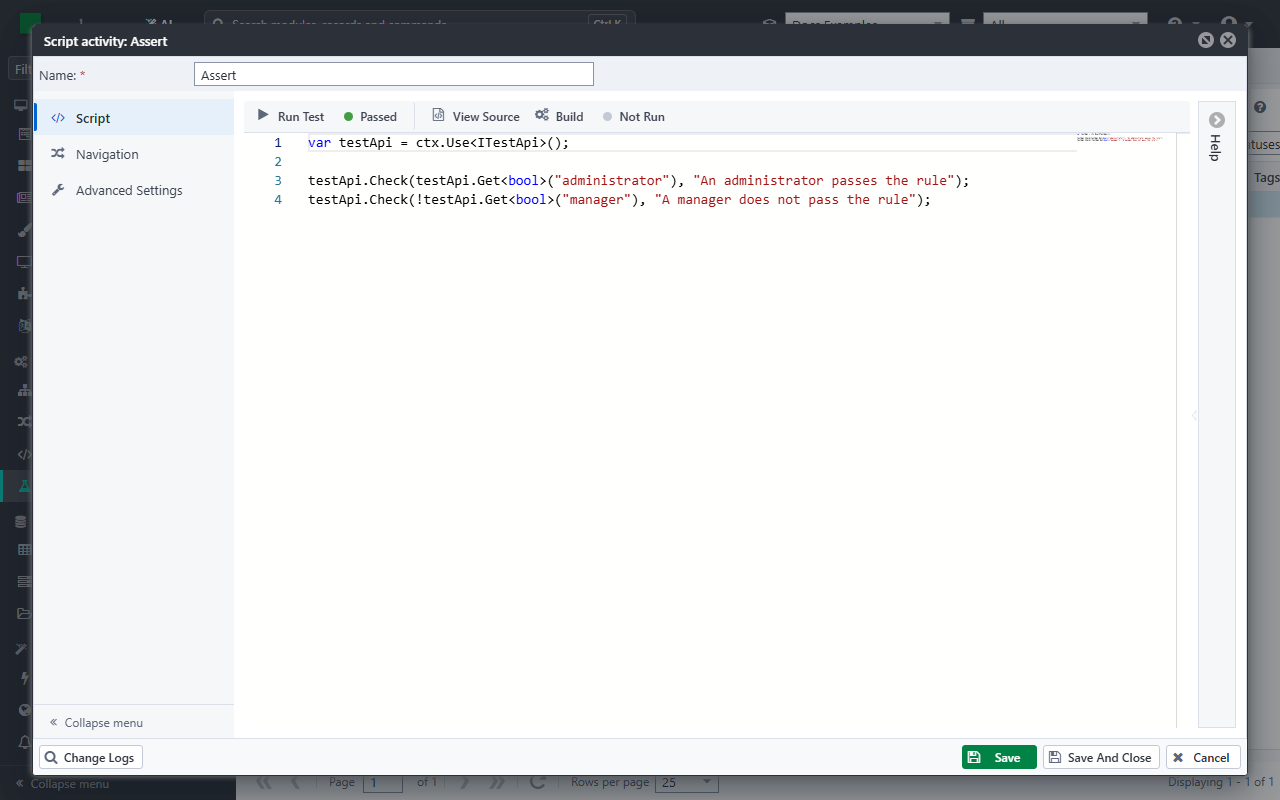
SetClaimgives the user of the test a claim, andRemoveClaimtakes it away. The claims stay for the rest of the test.ruleApi.Evalevaluates a server rule for the user of the test, and returns its answer.Checklets the test go on after a failed check, so one run tells you about both answers.
Click Run Test: the test passes.
Rules with parameters
A rule that reads @parameters gets them as a dictionary:
var parameters = new Dictionary<string, object>();
parameters.Add("Username", "tester");
testApi.Set("result", ruleApi.Eval("<rule name>", parameters));
Database rules
ruleApi.Eval evaluates server rules. A database rule is never called: it filters the records of the data classes it protects, whenever they are read. To test it, read such a data class as the user of the test, and check which records come back:
- Arrange: save a record the user may see and one the user may not see, with
testApi.Create, and only then give the user the claims of the test. Reading is filtered for the user of the test, saving is not. - Act: search for both records with
IDataApi. - Assert: check that the first record came back and the second did not. The second check is the one that proves the rule.