Data diagram
Mermaid is one of the most popular visualization languages that let you quickly create diagrams and visualization using text and code. Since version 2.6.14, Casewhere enables you to export data classes to Mermaid diagrams.
Generate diagram
In Casewhere Admin, navigate to Data Classes:
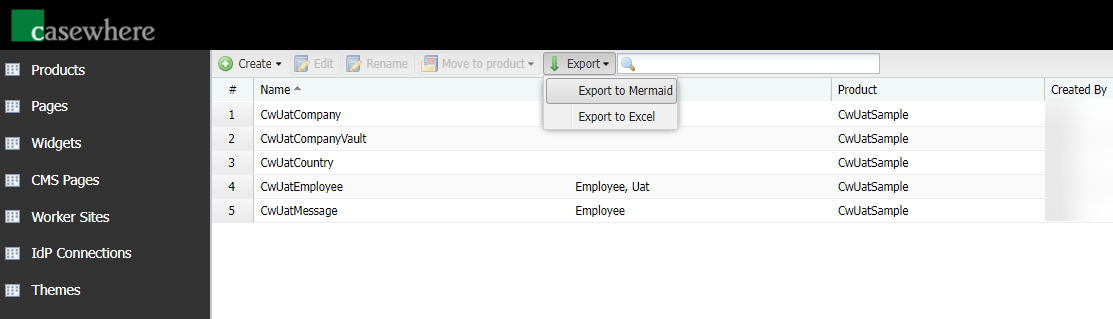
- Click Export
- Select Export to Mermaid from the drop-down list. The same menu also offers Export to Excel, which exports the data classes and their attributes as a spreadsheet.
- Select data classes you want include in the diagram. Here you can filter data classes by tags, products
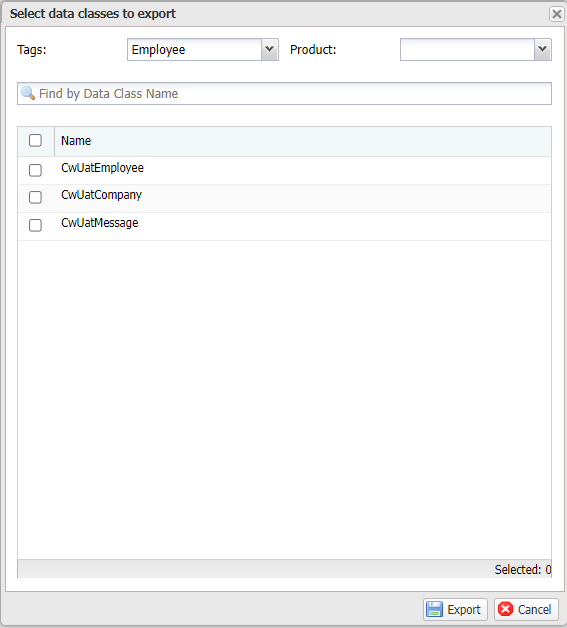
- Click Export to generate a diagram file with the .mmd extension
erDiagram

CwUatMessage }o--|| CwUatEmployee : ""
CwUatCompany }o--o| CwUatEmployee : "CEO"
CwUatCompany }o--o{ CwUatEmployee : "Managers"
CwUatEmployee }o--o| CwUatCompany : "Work For"
CwUatEmployee }o--o| CwUatEmployee : "Manager"

CwUatMessage {
    ForeignKey EmployeeId
    String Content
    Enum Status
}
CwUatCompany {
    String Name
    String StockSymbol
    String StockMarketCap
    String Introduction
    String Address
    Boolean Active
    Array CountryIds
    Document Logo
    ForeignKey CeoId
    Array ManagerIds
    DateTime StartDate
    Double AuthorizedCapital
}
CwUatEmployee {
    String Name
    String Ssn
    Enum Gender
    String JobTitle
    Enum ShirtSize
    String Slogan
    String Email
    String PhoneNumber
    String Address
    ForeignKey CompanyId
    String Signature
    ForeignKey ManagerId
    Double Salary
    DateTime Dob
}
erDiagram

CwUatMessage }o--|| CwUatEmployee : ""
CwUatCompany }o--o| CwUatEmployee : "CEO"
CwUatCompany }o--o{ CwUatEmployee : "Managers"
CwUatEmployee }o--o| CwUatCompany : "Work For"
CwUatEmployee }o--o| CwUatEmployee : "Manager"

CwUatMessage {
    ForeignKey EmployeeId
    String Content
    Enum Status
}
CwUatCompany {
    String Name
    String StockSymbol
    String StockMarketCap
    String Introduction
    String Address
    Boolean Active
    Array CountryIds
    Document Logo
    ForeignKey CeoId
    Array ManagerIds
    DateTime StartDate
    Double AuthorizedCapital
}
CwUatEmployee {
    String Name
    String Ssn
    Enum Gender
    String JobTitle
    Enum ShirtSize
    String Slogan
    String Email
    String PhoneNumber
    String Address
    ForeignKey CompanyId
    String Signature
    ForeignKey ManagerId
    Double Salary
    DateTime Dob
}
Advanced settings
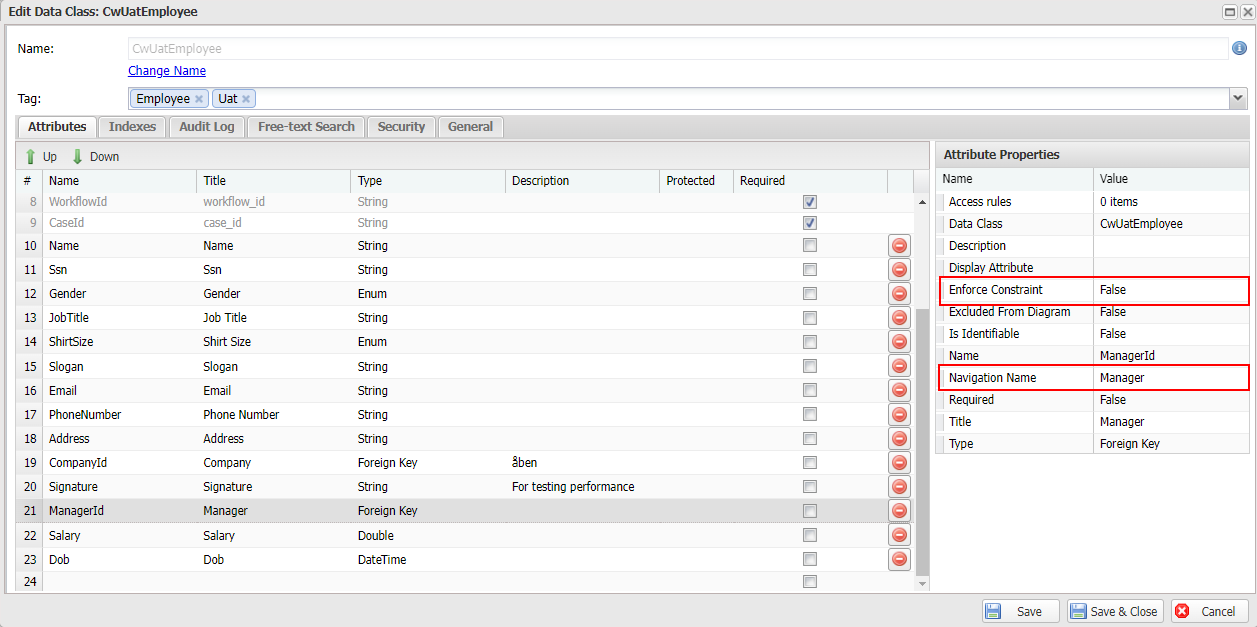
The name of the data class relationship is determined by the Navigation Name property of the Foreign Key Data Attribute.
It's not a good idea to display all data class attributes in the diagram. You can limit what to include or exclude in the diagram using the property Excluded from Diagram.