Data validation
Before persisting data objects to DB, Casewhere will validate data against the configuration in the data class and the data attributes. If the validation fails, Casewhere will throw an error and reject the data.
General validation
Data conversion
When persisting a data object, Casewhere will try to convert the data fields to the corresponding data attributes. If for some reasons the data conversion fails, Casewhere will throw an error and reject the data. Take the Application data class below as an example:
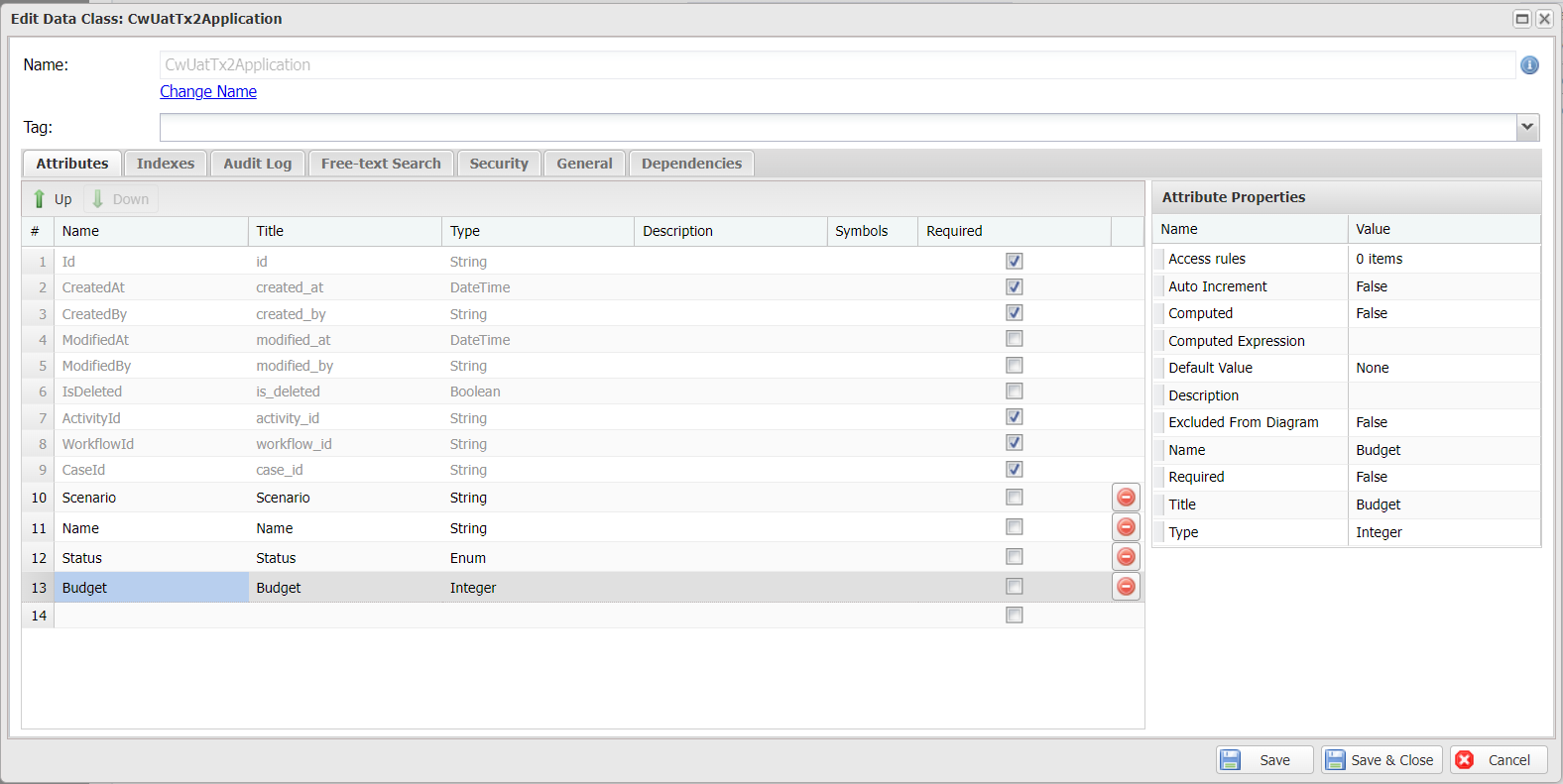
If you try to run this script in a workflow,
var dataApi = ctx.Use<IDataApi>();
var id = dataApi.Add("CwUatTx2Application", new
{
    Budget = "test"
});
you will get an exception FormatException.
Required
All data attributes in Casewhere have a property named Required. If the property is set to true for a data attribute, a value must be specified for this attribute when Casewhere creates a new data object. Otherwise, it will throw an error and reject the data. On update, the constraint is enforced only for attributes included in the change set, so updating other fields is not blocked by a required attribute that is left untouched.
Attribute-specific validation
Enum
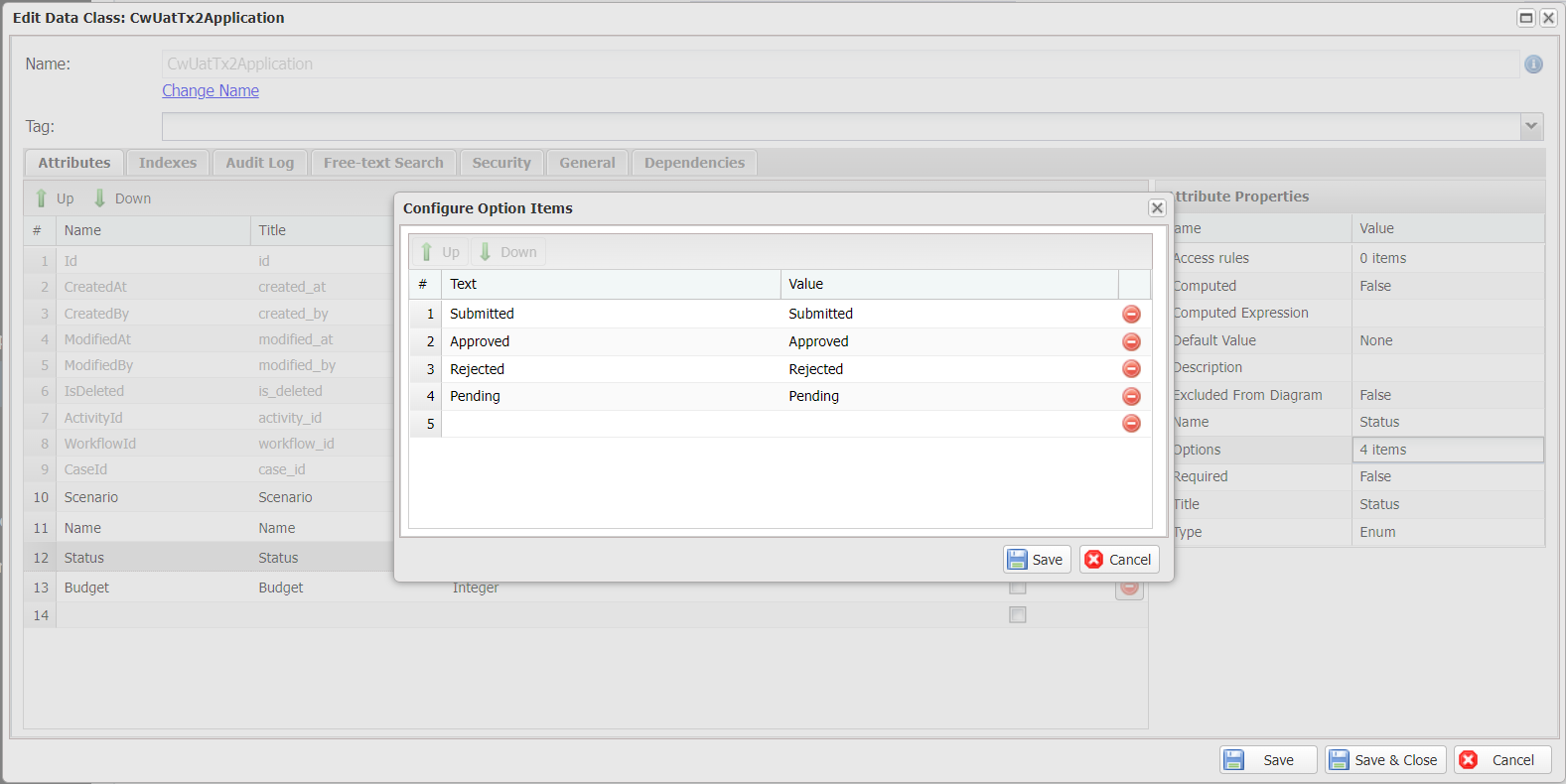
Casewhere will reject all data persisting requests that attempt to set a value outside of the Enum predefined values.
Foreign Key
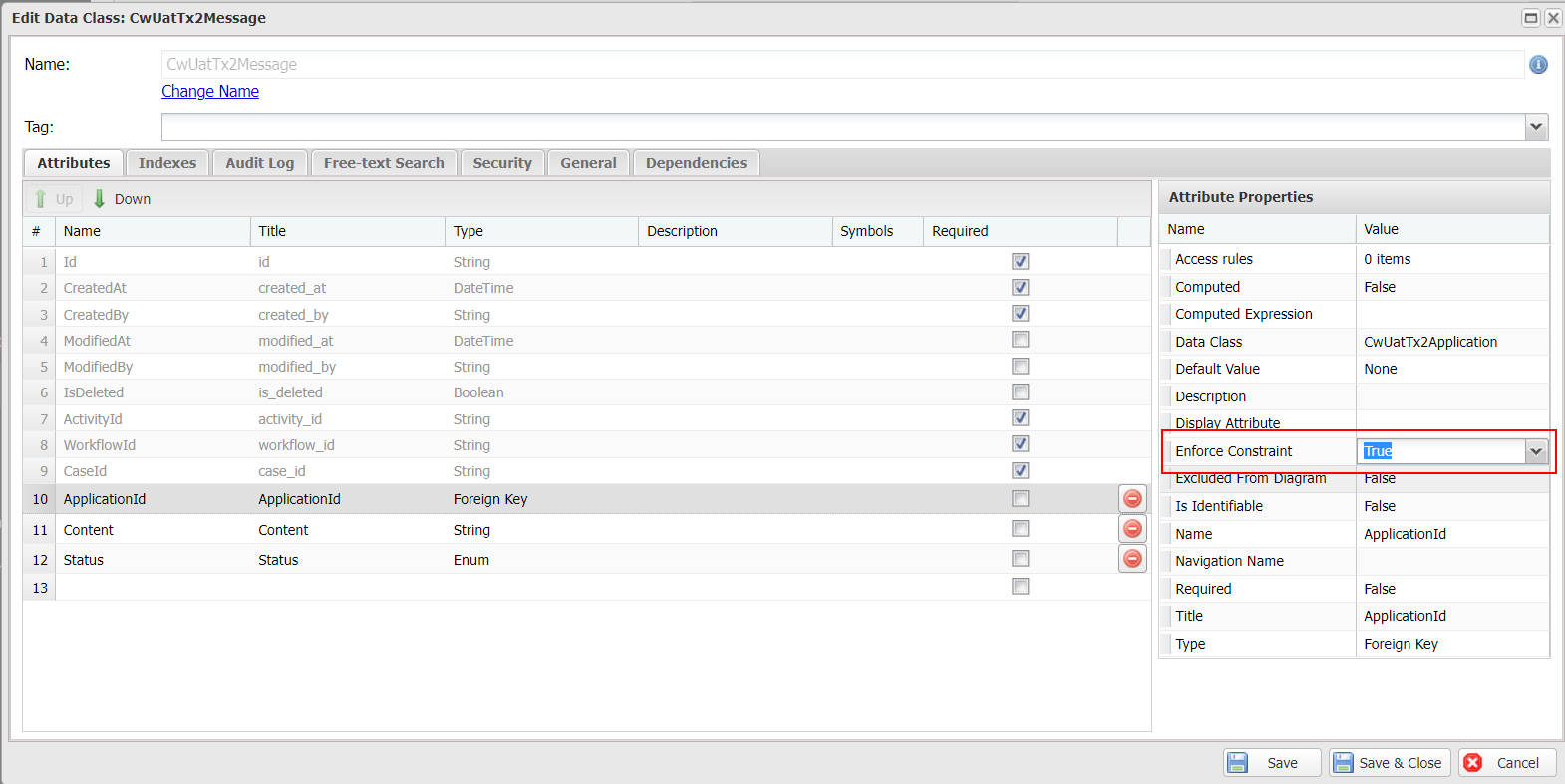
When the Enforce Constraint is turned on for a Foreign Key attribute, Casewhere will verify the data object reference. Casewhere will throw an error and reject the data if the referenced data object does not exist. This feature is available since v2.7.2.