Theme overview
A theme is a collection of template files that define an application's appearance. A theme is more than just graphics; it's where an application developer alters the application's appearance (graphics, styles), rearranges the layout, overrides default behaviors, and adds additional components to extend functionality.
Casewhere worker site can always be customized using a theme. The theme eliminates the need for the application's interface to be hard-coded. An application can have its own themes; you can also clone a theme or move it to another application.
Config theme
In your Casewhere instance, navigate to Themes.
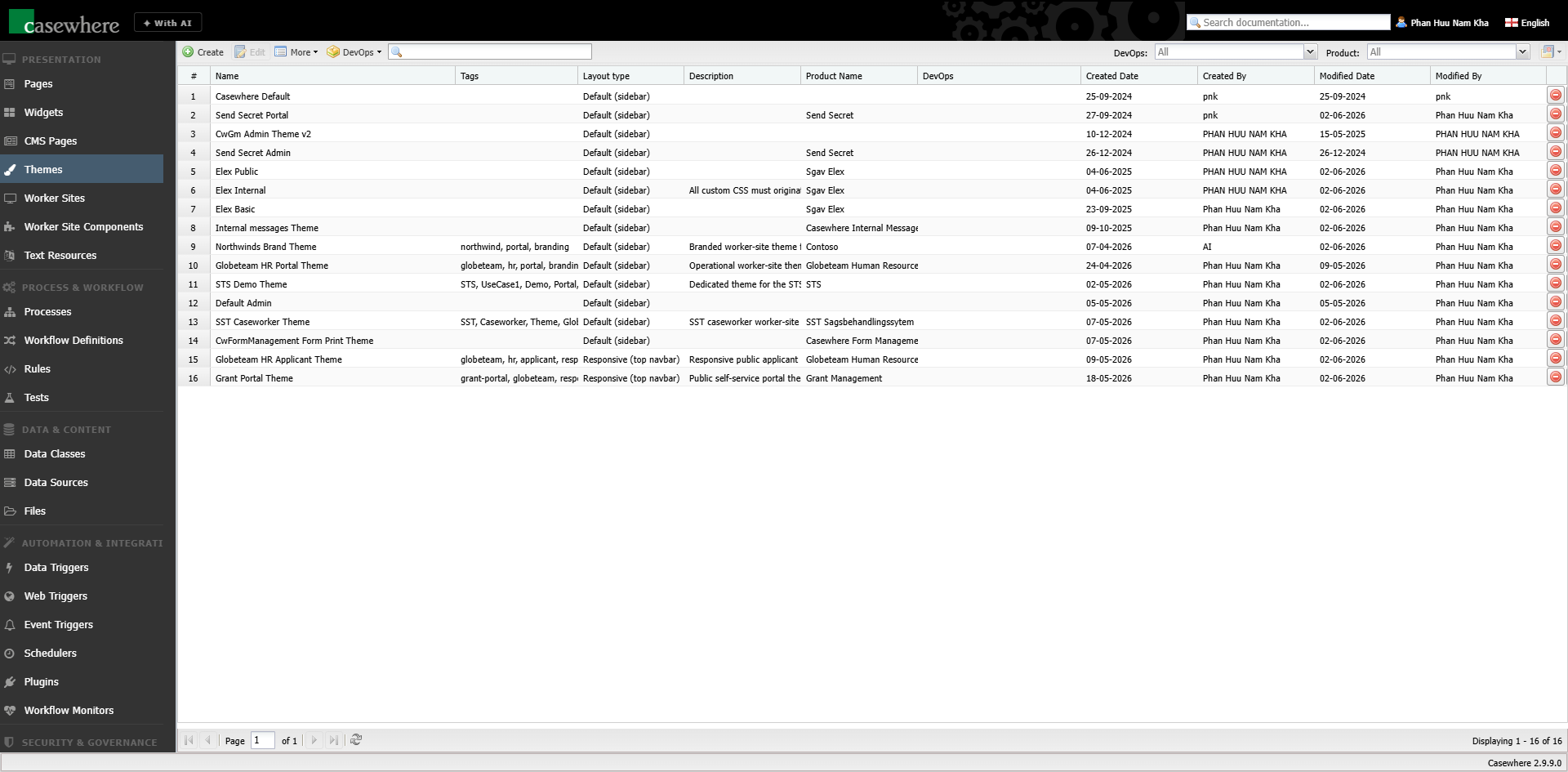
Click Create button 
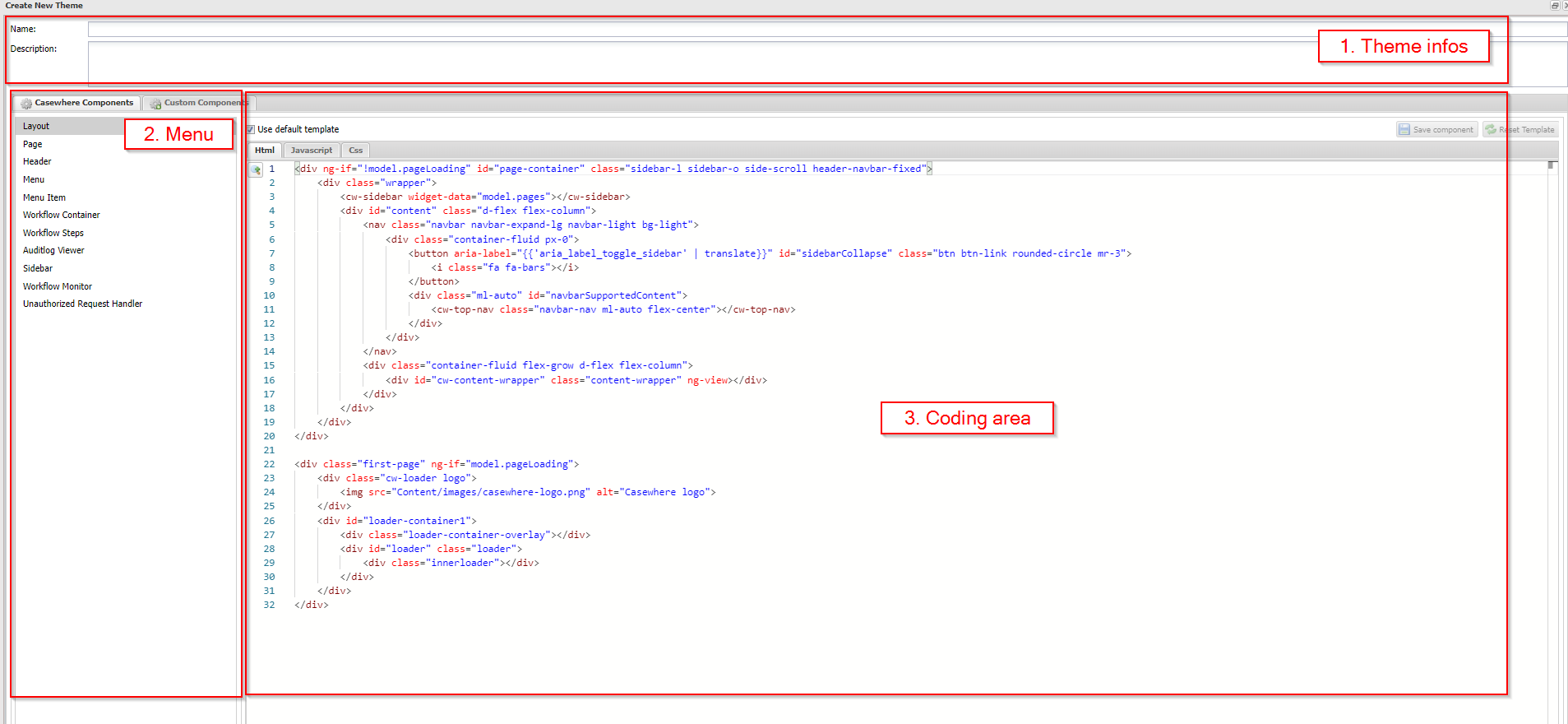
Create New Theme dialog will open with 3 main working areas:
- Theme info
- Name (required): a unique name for the theme
- Description (optional): a longer description of the theme
- Layout type: the overall worker-site layout — Default (sidebar) or Responsive (top navigation bar). It determines which Casewhere components the theme provides.
- Tags: labels to help organize and search themes
- Menu
- Casewhere Components: the list of Casewhere default components
- Custom Components: the list of custom components, where you can create your own templates
- Coding area
- Use Default Template: when checked, the component renders from its built-in template in read-only mode; uncheck to edit the code