Component: Automatic logout
Introduction
Security is one of the most important factors of an application. Leaving the application idle for a certain amount of time could lead to leaking sensitive data or misuse of the application. The automatic logout component ensures the application is not left idle for a long time without surveillance. It shows a session-timeout popup asking the user to stay signed in; otherwise, it logs the user out automatically.
Features
Configuration
The component has a page to manage a list of auto-logout configurations. Each configuration contains the following settings:
- Worker site: The worker site that uses the auto-logout feature.
- Idle timeout: The time, in minutes, the application can stay idle before the session-timeout popup appears.
- Stay signed-in timeout: The time, in seconds, to wait for the user to choose "Stay signed-in" or "Logout".

Enable the automatic-logout feature on the worker site
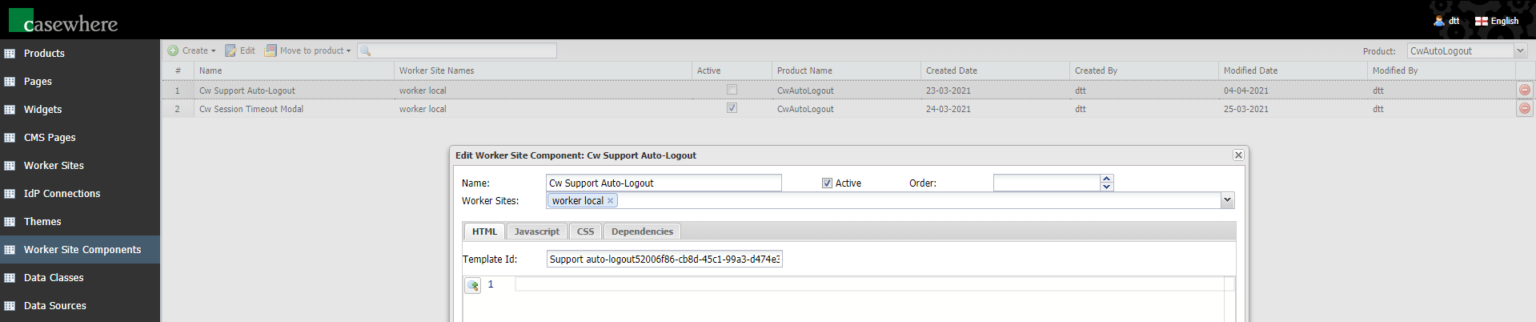
Go to Casewhere Admin site and do the following steps:
- Go to the Worker Site Components menu.
- Edit the Cw Support Auto-Logout component.
- Select the worker site to enable the automatic-logout feature and click the Save.
- Edit the Cw Session Timeout Modal component.
- Select the worker site to enable the automatic-logout feature and click the Save.
Extend the external session
When the status is "Stay signed-in", the event cwAutoLogout_StaySignedIn is triggered so that other external sessions can subscribe to validate or handle the event accordingly.
Installation
Requirements
Casewhere 2.6.10 or later
Known issues
The component only works with worker sites on different domains.
GDPR compliance
The component creates a new item, called IdleTimeout, in the localstorage to keep track of when to show the session-timeout popup when the application is idle.
Releases
1.0.0 - 13/04/2021
Changelog
- Configuration
- Enable the automatic-logout feature on the worker site
- Extend the external session
Download (login required): Automatic logout v1.0.0.