Component: REST data sources
Introduction
REST APIs are one of the most popular data exchange protocols these days. However, implementing either a good data solution or a REST API is never easy. This component is designed to provide a robust, secure, and convenient way to quickly enable access to your Casewhere data sources.
Features
Configure Endpoints
The component provides an interface for administrating endpoints. Here, end users can select which data sources are accessible through the REST API. You can also configure an endpoint to return only a subset of your data source by explicitly selecting the fields to return.
This configuration page also provides other functions such as delete, import, export, and Postman file download.
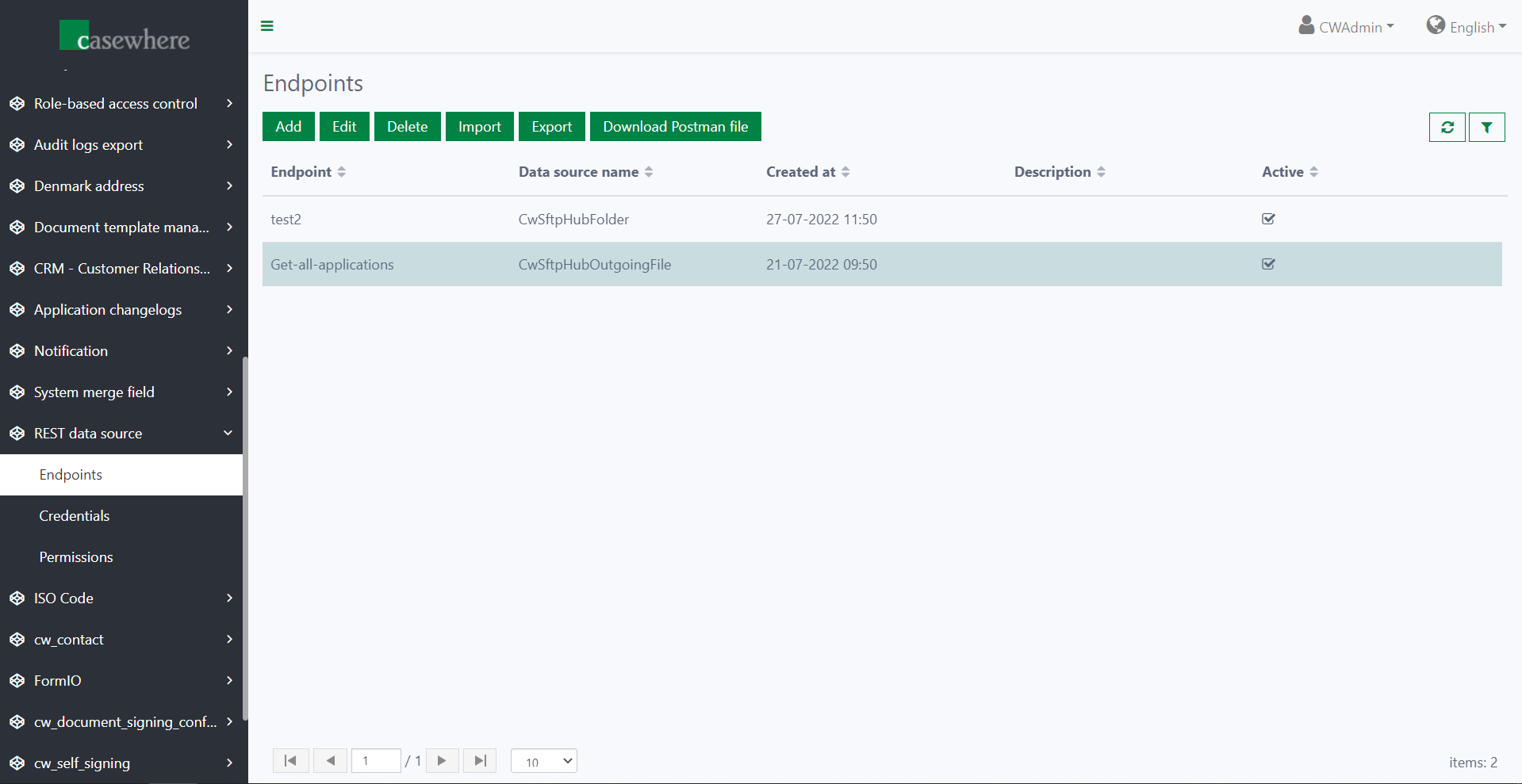
When adding or editing an endpoint, the component shows a dialog that lets you enter information for the endpoint.
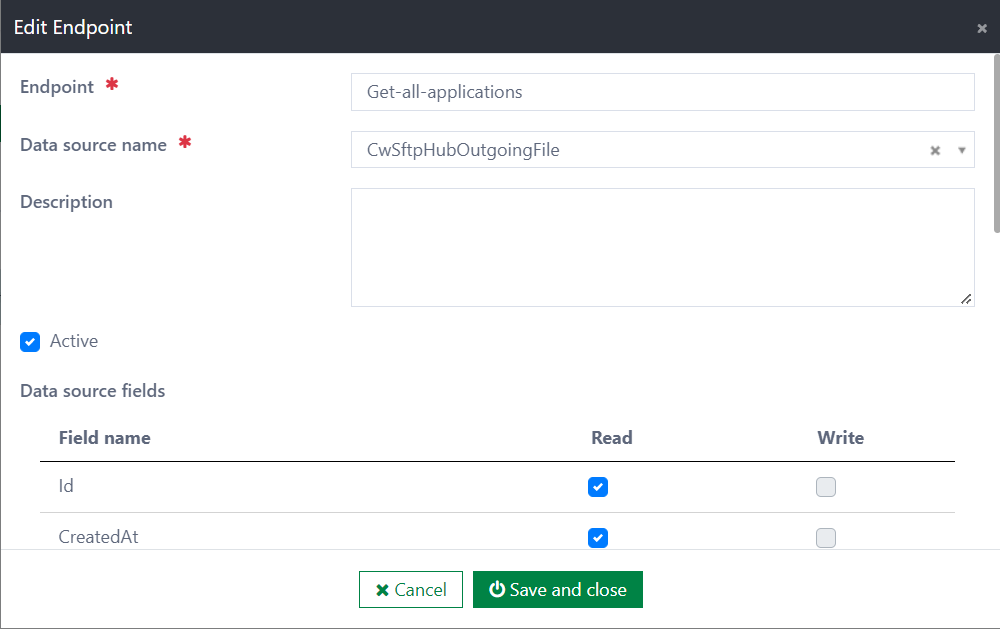
Here is a list of input fields:
- Endpoint [required]: A string used by the consumer to locate the endpoint to access. It can only contain alphanumeric characters, hyphens, and underscores. Letters in the string can be uppercase or lowercase.
- Data source name [required]: The data source that provides data for incoming requests to the endpoint
- Description [optional]: You can write anything you want in this field to describe the endpoint
- Active: Whether the endpoint is available
- Data source fields: This section shows a list of data fields that belong to the selected data source. For each data field, you can configure whether it can be read or written
Configure Credentials
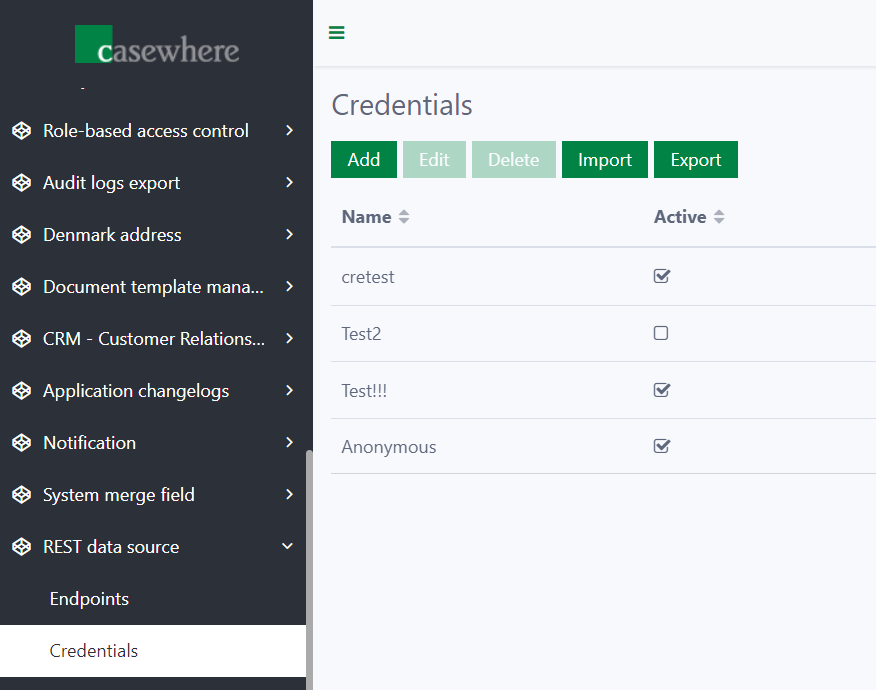
To set up authorization for requests, you can define credentials. The component has a Credentials page on the worker site that lets you manage credentials.
The data for adding or editing is entered in the credential edit dialog.
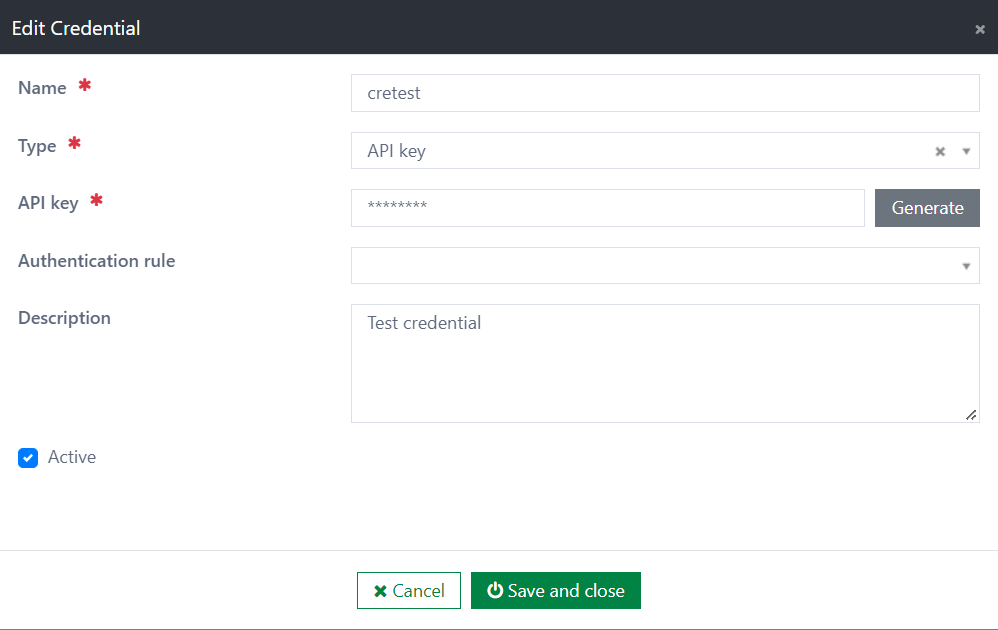
On the dialog, you can fill in:
- Name [required]: A unique name that identifies the credential
- Type [required]: The type of the credential. Currently, it supports only two types: API Key and anonymous. Other types will be implemented later
- Authentication rule [optional]: An optional custom rule to validate the request. In the dialog, this field is a drop-down that lists all server rules. Refer to the next section to learn how to implement a rule
- Description [optional]: Gives more detail about the credential
Besides this information, each credential type has its own properties.
For an API-key credential, the dialog shows one more property that lets the operator enter or generate an API key.
Configure Permissions
You can setup permissions for endpoints on the Permissions page.
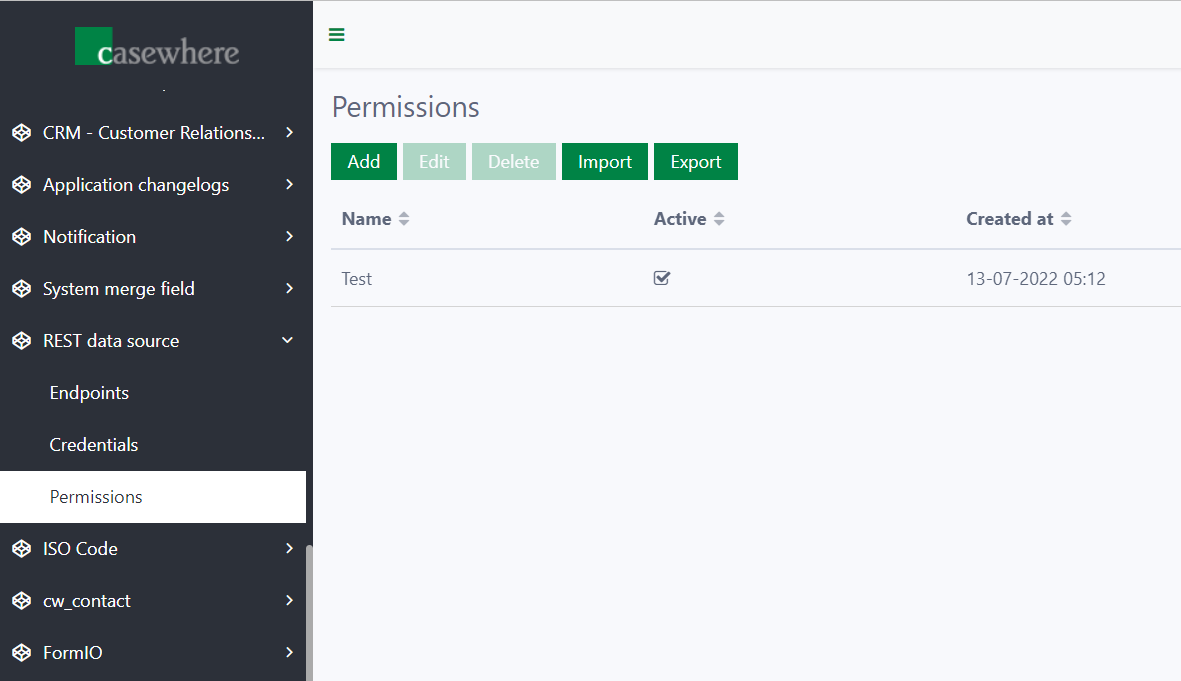
When adding or editing a permission, you enter data in the permission edit dialog.
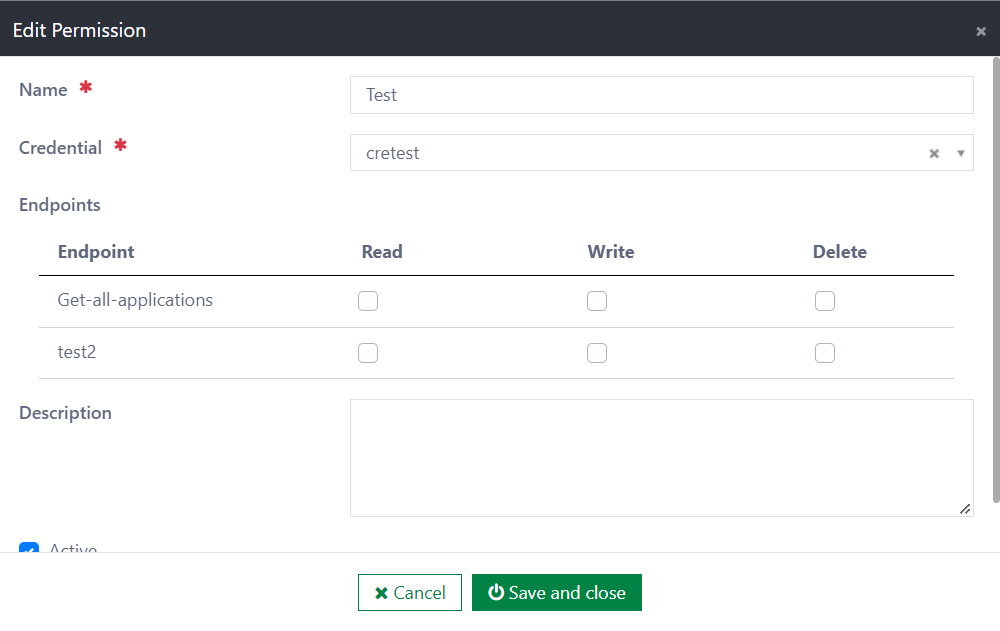
Here are the input fields:
- Name [required]: An alias for the permission. It does not have to be unique
- Credential [required]: Select an existing credential from the drop-down list
- Endpoints: Permission for each endpoint. Permission for each endpoint can be Read, Write, and/or Delete
- Description [optional]: Gives more detail about the permission
- Active: Whether the permission is available
GET Request
Consumers can make GET requests to retrieve data flexibly. To support this flexibility, the component provides a sufficient syntax. Below is a list of parameters that can or must be included in requests.
- $endpoint [required]: Name of the endpoint that the request is made for. The consumer can also define this parameter with the ID of the needed data. Examples:
- /dynamic/datasources?$endpoint='Customer'
- /dynamic/datasources?$endpoint='Customer(Customer/5a2fev1br94rehfefef2)'
- $top [optional]: Maximum number of data records to get
- $skip [optional]: Number of data records that the consumer wants to skip
- $search [optional]: Keyword for full-text search. Must be enclosed in a pair of quotes
- $filter [optional]: Condition to query. The filter string follows OData syntax. Refer to the OData URI Parser component for supported operators
- $select [optional]: Field names separated by commas. Only fields that are configured as readable are returned. If this parameter is undefined, the component responds with all allowed fields
- $orderby [optional]: Defines the order of the data. You can order by multiple fields, separated by commas. There are two cases:
- Fields that are used to sort in descending order: [Field name] desc
- Otherwise, [Field name]
Example:
[API URL]/dynamic/datasources?$endpoint='Customer'&$top=5&$skip=2&$search='blue'&$filter=Description eq 'lorem ...' and ActiveDate eq 2022-06-04T15:31:36.000Z&$select=Description,ActiveDate&$orderby=CreatedDate desc,ModifiedAt
Response
The component responds differently in different cases. The table below describes all status codes that are used explicitly by the component.
| Code | Description | Payload |
|---|---|---|
| 200 | Request is valid and data is found | { Data: {...}, TotalCount: 123 } |
| 400 | Request is invalid | Error message if any |
| 401 | Request is unauthorized | |
| 403 | Request to inaccessible endpoint or request is unauthenticated | |
| 404 | Endpoint is not found | |
| 500 | An error occurs when processing the request | Correlation ID and error message if any |
Installation
Requirements
Casewhere 2.6.10 or later
Configuration
- Import the product
- Link configuration pages to your worker sites and configure access control
- Configure endpoints, credentials and permissions
Releases
1.0.0 - 10/08/2022
Changelog
- Configuration pages
- GET endpoint
Download (login required): REST data sources v1.0.0