Plugin: SMTP
Introduction
The SMTP plugin allows you to send email via SMTP. You can easily integrate it with an existing SMTP server through minor modifications to the SMTP plugin configuration.
Features
Send an email
This method lets the user send an email from Casewhere to an external system.
Method Name: SendEmail
Input
- subject: The email's subject. This field is required.
- body: The email's content. It can be plain text or HTML-formatted text. This field is required.
- to: The list of recipient email addresses in the serialized JSON format. This field is required.
- cc: The list of CC email addresses in the serialized JSON format. This field is optional.
- bcc: The list of BCC email addresses in the serialized JSON format. This field is optional.
- isHtml: Field value is either true or false (false is the default). It controls whether HTML is rendered in the email content. This field is optional.
- If
true, the email's content is displayed as HTML - If
false, the email's content is not displayed as HTML even if it contains HTML
- If
- attachments: the serialized JSON string of attachments. This field is optional.
See the sample below:
    var bytes = Encoding.ASCII.GetBytes("text");
    var attachments = new List<Dictionary<string, string>>();
    attachments.Add(new Dictionary<string, string>
    {
        { "Name", "text.txt" },
        { "Content", Convert.ToBase64String(bytes, 0, bytes.Length)  }
    });

    var mailParameters = new Dictionary<string, string>()
    {
        { "subject", "Subject email" },
        { "body", "Content email" },
        { "isHtml", true },
        { "to", JsonConvert.SerializeObject(new List<string> { "casewhere@globeteam.com" }) },
        { "cc", JsonConvert.SerializeObject(new List<string> { "casewhere@globeteam.com" }) },
        { "bcc", JsonConvert.SerializeObject(new List<string> { "casewhere@globeteam.com" }) },
        { "attachments", JsonConvert.SerializeObject(attachments) }
    };
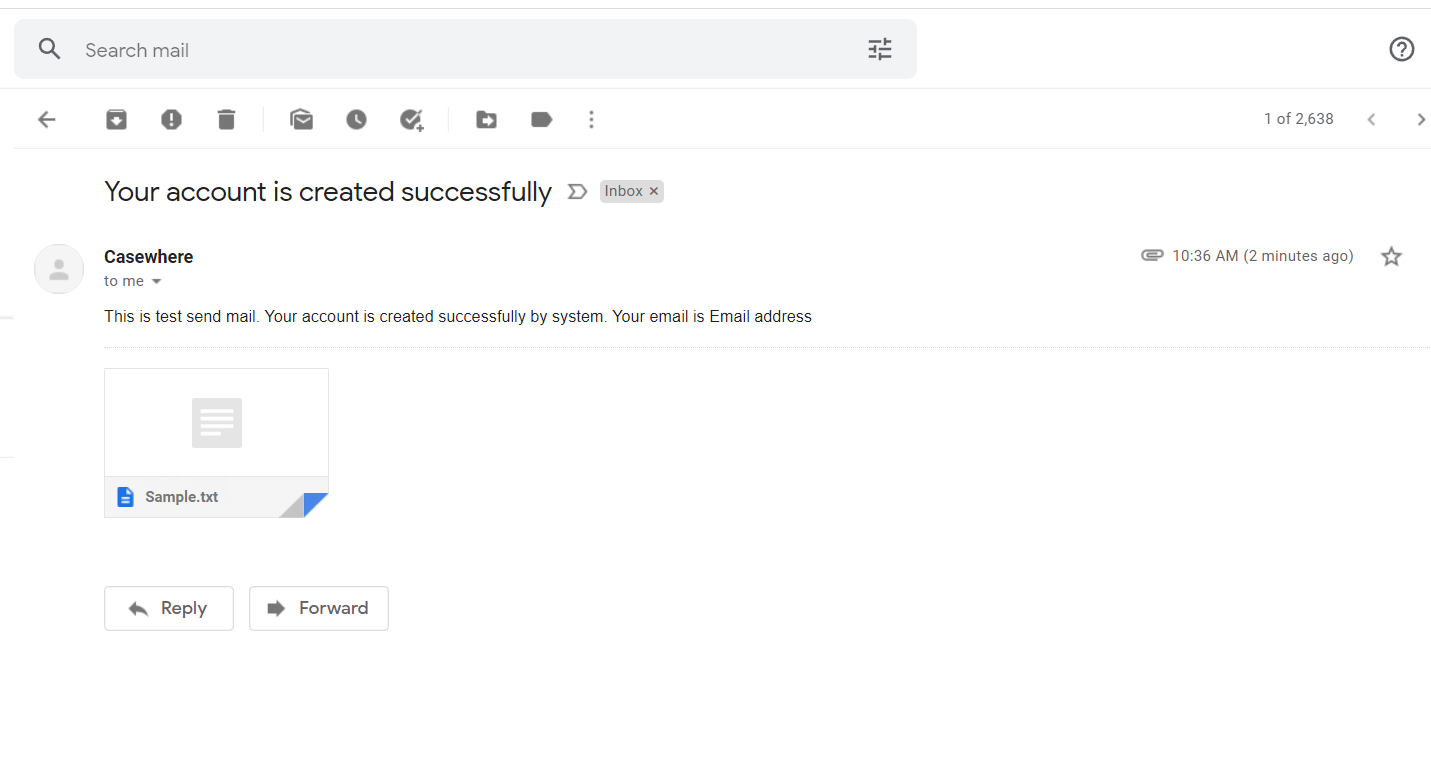
This is a sample email:
Use the Invoke method in IPluginApi to call the SendEmail feature:
IPluginApi.Invoke(string pluginName, string methodName, IDictionary<string, Object> parameters)
Output
The method returns data with two fields IsSuccess, Error.
Example
    var pluginApi = ctx.Use<IPluginApi>();

    // Prepare parameters
    var parameters = new Dictionary<string, string>()
    {
        { "subject", "Subject email" },
        { "body", "Content email" },
        { "isHtml", "true" },
        { "to", JsonConvert.SerializeObject(new List<string> { "casewhere@globeteam.com" }) },
        { "cc", JsonConvert.SerializeObject(new List<string> { "casewhere@globeteam.com" }) },
        { "bcc", JsonConvert.SerializeObject(new List<string> { "casewhere@globeteam.com" }) }
    };

    // Invoke plugin
    var pluginResult = pluginApi.Invoke("CWMail", "SendEmail", parameters);

    var isSuccess = pluginResult.Value<bool>("IsSuccess");
Installation
Requirements
- Casewhere v2.6.0 or later.
Configuration
- Username: SMTP username.
- Password: SMTP password.
- EmailAddress: The sender's email address.
- DisplayName: The sender's name.
- SMTP: SMTP server name or IP address.
- Port: SMTP transaction port
- EnableSsl: option to enable Secure Sockets Layer (SSL) to encrypt the connection. Value is
trueorfalse.
Example
{
    "Username": "Username",
    "Password": "Password",
    "EmailAddress": "no-reply@application.com",
    "DisplayName": "Sample application",
    "SMTP": "application.com",
    "Port": 587,
    "EnableSsl": true
}
Releases
1.0.0 - 23/03/2022
Changelog
- Send an email.
Download (login required) SMTP plugin v1.0.1
Roadmap
- Send test email
- Previewing email
- Email mapping