Project structure
Main folders
You will notice the project has a base structure that includes all the building blocks you need to continue developing your project.
Android
This folder includes all the files required to build an Android app, using the following configuration:
- File
android/app/main/AndroidManifest.xmlhas been configured to support a custom URL scheme for the authentication component - File
android/gradle.propertiesincludes the simulator configuration
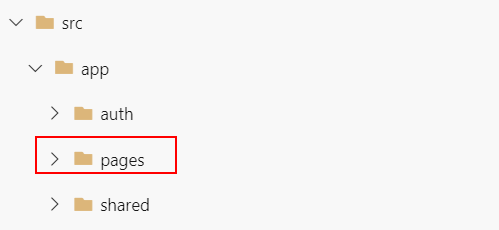
src/app/pages
The src folder is where you write your code.
The app folder contains the files to bootstrap the app and the main structure we will build the app upon. Inside app, there are several important folders:
pages: each project feature is stored in an individual folder inside pages
src/app/shared
The shared folder stores all shared services and models that can be used globally across the project.
src/assests
The assests folder holds all fonts and images required for the app.
src/environments
The environments folder is where we store variables that are shared but differ across environments.
Read more here
src/theme
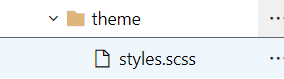
The theme folder stores all Sass files (styles, mixins, etc.) for customizing the app's styles.
The style.scss file defines the global CSS rules. Each folder will also have its own SCSS files to define specific rules.
src/app/auth
- auth-guard.service.ts: a guard deciding if a route can be activated
- auth-http.service.ts: HTTP service for calling Restful APIs
- auth-module.config.ts: configure HttpInterceptor (Read more here)
- auth-storage.factory.ts: custom storage to store access_token, refresh_token and other tokens
- auth.factory.ts: contains auth configurations such as issuer, clientId, and redirectUri
- auth.module.ts: configures the injector and the compiler, and helps organize related items together
- auth.service.ts: main service for the oauth2 login flow, logout, and token validation
How to contribute
Step 1. Create a branch from the master branch (Link to template)
- Branch name format must be "#id_name_in_snake_case", i.e. #12345_feature_name
Step 2. Add new features, coding and editing as you wish
Step 3. Wrap up code
Remove unused declared variables
Remove Console.log that you used for debugging
Code clean checkup
Use
$ ng lintto check es2020 standard
Step 4. Submit a PR and ask for review
Step 5. Resolve reviewers' comments
- Coding styles follow this guide