Plugin management
In Casewhere Admin, navigate to Plugins to create, edit and manage plugins like any product resource.
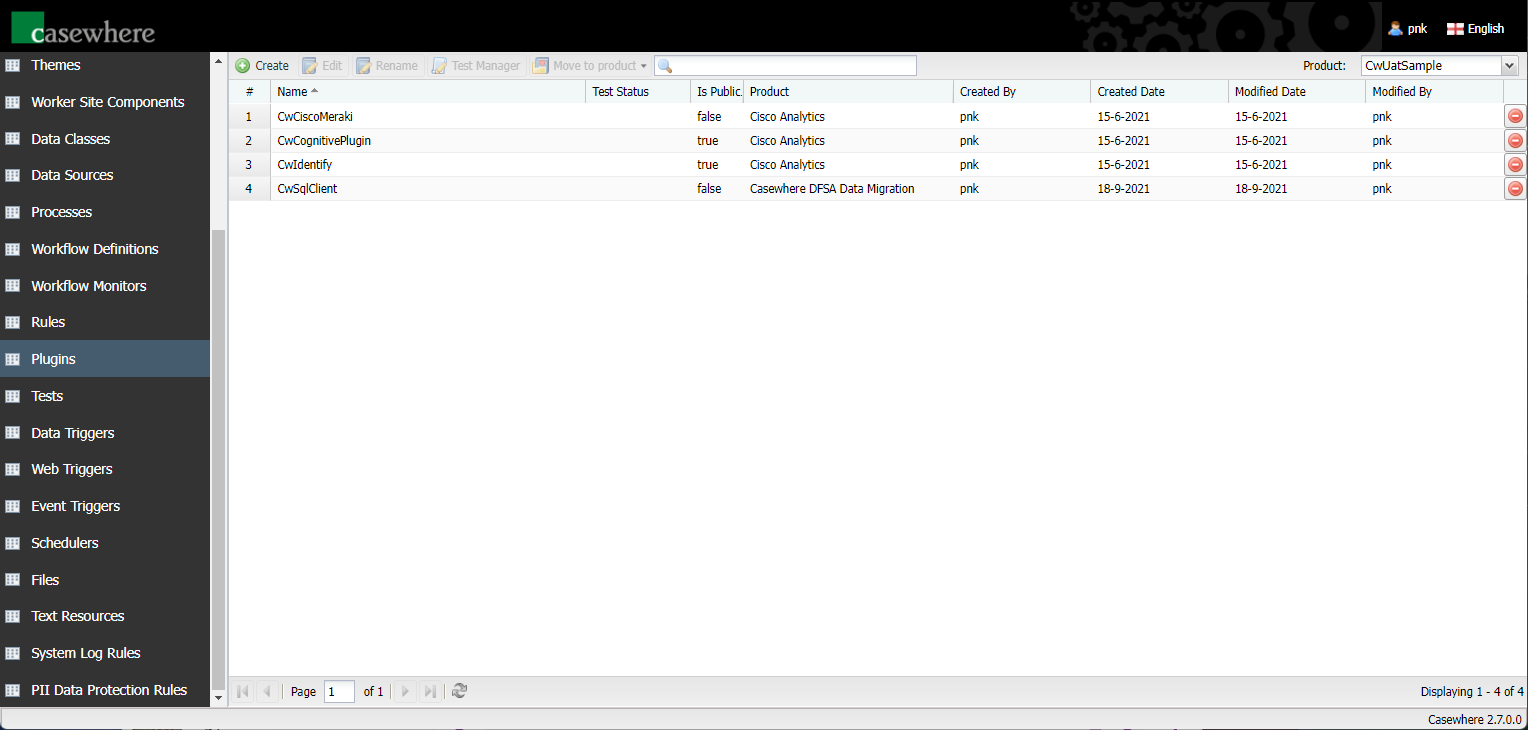
Configure plugin
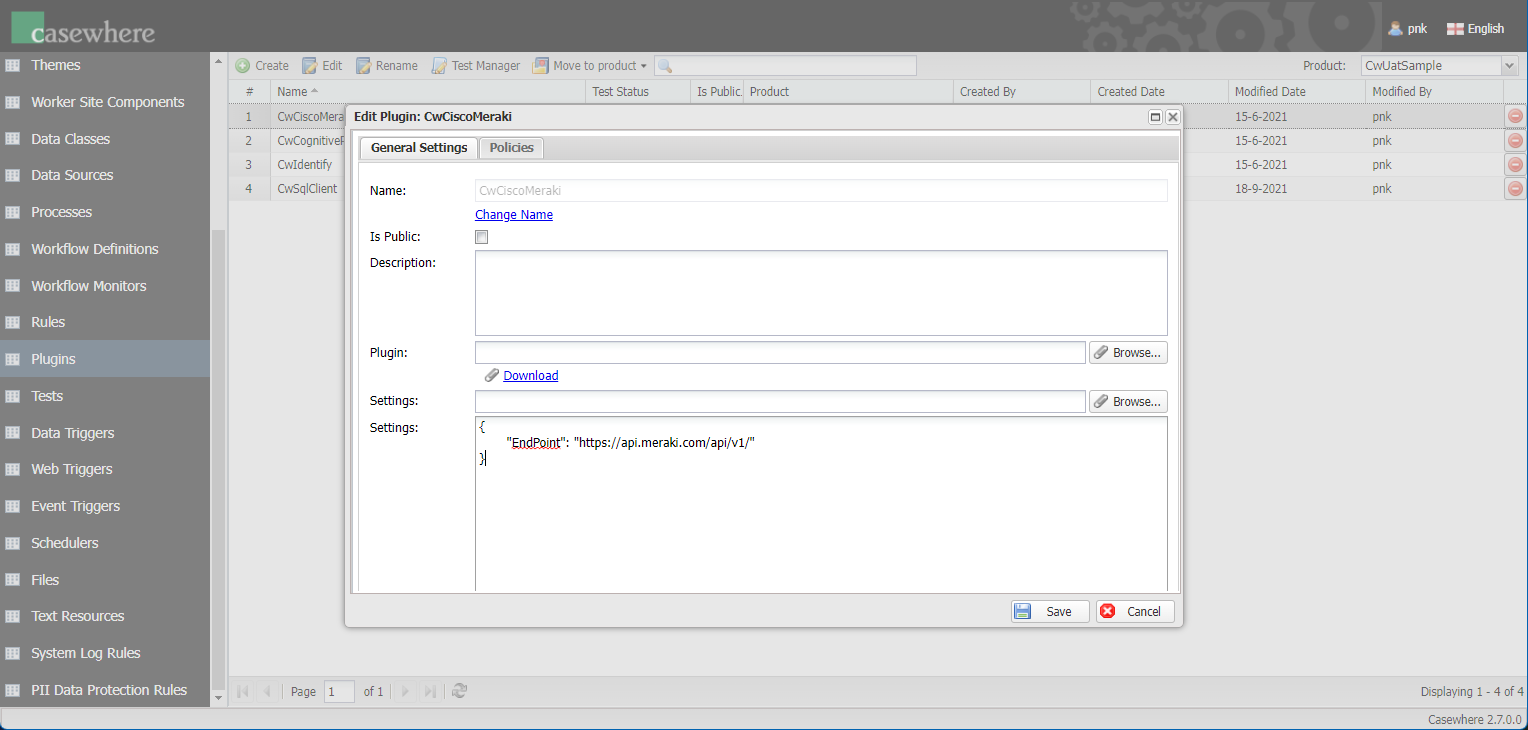
Click Create and input the following into the plugin editor:
Name: Plugin name must be unique.
Is Public: Determines if the plugin is available for access from Worker API or not. It's not recommended to turn on this settings for sensitive plugins.
Desctription: Here you can describe more what the plugin is about.
Plugin: Upload the plugin package - a zip package containing DLL files required for the plugin to execute.
Settings: Plugin configuration in a text format, e.g., JSON, XML.
Plugin security
Plugin security is vital. Casewhere executes plugins in a partially trusted AppDomain - separate from Casewhere's core - to mitigate the risk of plugins being exploited to execute malicious code. The 'Is Public' setting is optional because some plugins are too sensitive to be exposed to a web interface.
Additionally - for even more extensive security - Casewhere allows you to define rules to protect the plugin methods.
