Connect sign-in
Introduction
Applicants and caseworkers sign in to the worker sites through an identity provider (IdP). Casewhere talks to the IdP with SAML 2.0 through an IdP connection: the IdP's metadata, the certificates that sign the messages, and the claim mappings that turn what the IdP says about the user into Casewhere claims.
The tutorial needs these claims for every user:
| Casewhere claim | IdP claim | Example | Used for |
|---|---|---|---|
| UserId | http://schemas.xmlsoap.org/ws/2005/05/identity/claims/nameidentifier |
anna.berg |
the user's identity |
| Username | http://schemas.xmlsoap.org/ws/2005/05/identity/claims/name |
anna.berg |
the user name (required) |
| Roles | CwRoles |
GaApplicant or GaCaseworker |
what the user may do |
| AccessibleWorkerSites | http://schemas.microsoft.com/identity/claims/tenantdomain |
grants.casewhere.com |
which sites the user may sign in to |
| FullName | FullName |
Anna Berg |
the name shown on applications |
The tutorial uses three users:
| User | Role | Site |
|---|---|---|
Anna Berg (anna.berg) |
GaApplicant | grants.casewhere.com |
Ben Holm (ben.holm) |
GaApplicant | grants.casewhere.com |
Carla Jensen (carla.jensen) |
GaCaseworker | grants-caseworker.casewhere.com |
Note
Using the Casewhere IdP Stub. The stub (in the Casewhere repository under Tools/IdpStub) is a test IdP: instead of a password you pick a user profile. The tutorial's three users are ready-made profiles in Tests/E2E/idp-profiles/Tutorial. Its metadata is at https://<stub host>/metadata/download and its entity ID is urn:casewhere:idpstub. Never use the stub in production.
Create the IdP connection
Download your IdP's metadata as an XML file. For the stub:
https://idp-local.casewhere.com/metadata/download.Open IdP Connections in the menu and click Create.
Fill in the dialog:
Field Value Name Tutorial IdP Metadata click ... and choose the metadata file Signing Certificate Thumbprint the thumbprint of the certificate Casewhere signs SAML requests with (your instance's service provider certificate) Signature Algorithm SHA256 SP Certificate Store Location Local Machine, Name My IdP Certificate Store Location Local Machine, Name Trusted People IdP Url the IdP's entity ID, for the stub urn:casewhere:idpstubThe IdP's signing certificate must be in the IdP certificate store on the Casewhere servers (here Trusted People), or Casewhere rejects its answers.
In Claim Mappings, keep the four mappings Casewhere suggests and add one: click the empty row at the bottom, type
FullNamein Name, press Enter, then click the row's IdP Claim cell, typeFullNameand press Enter.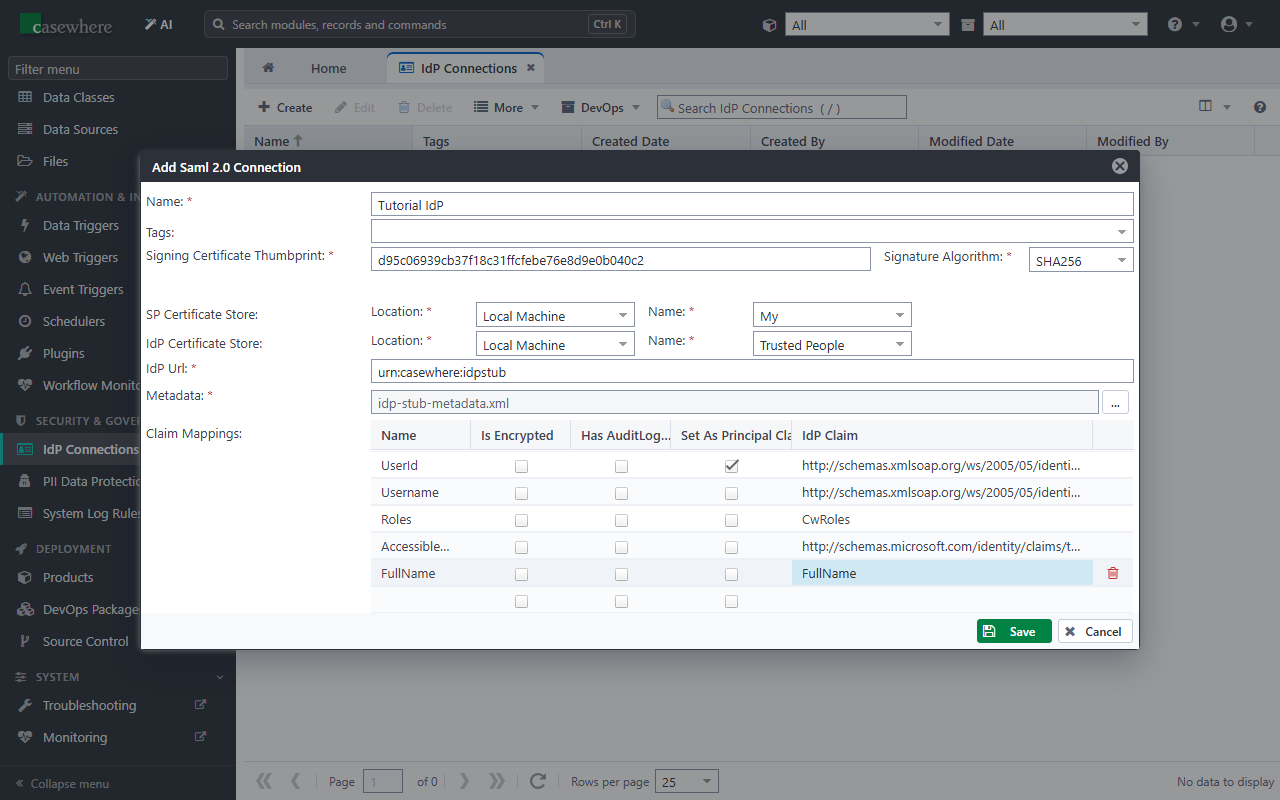
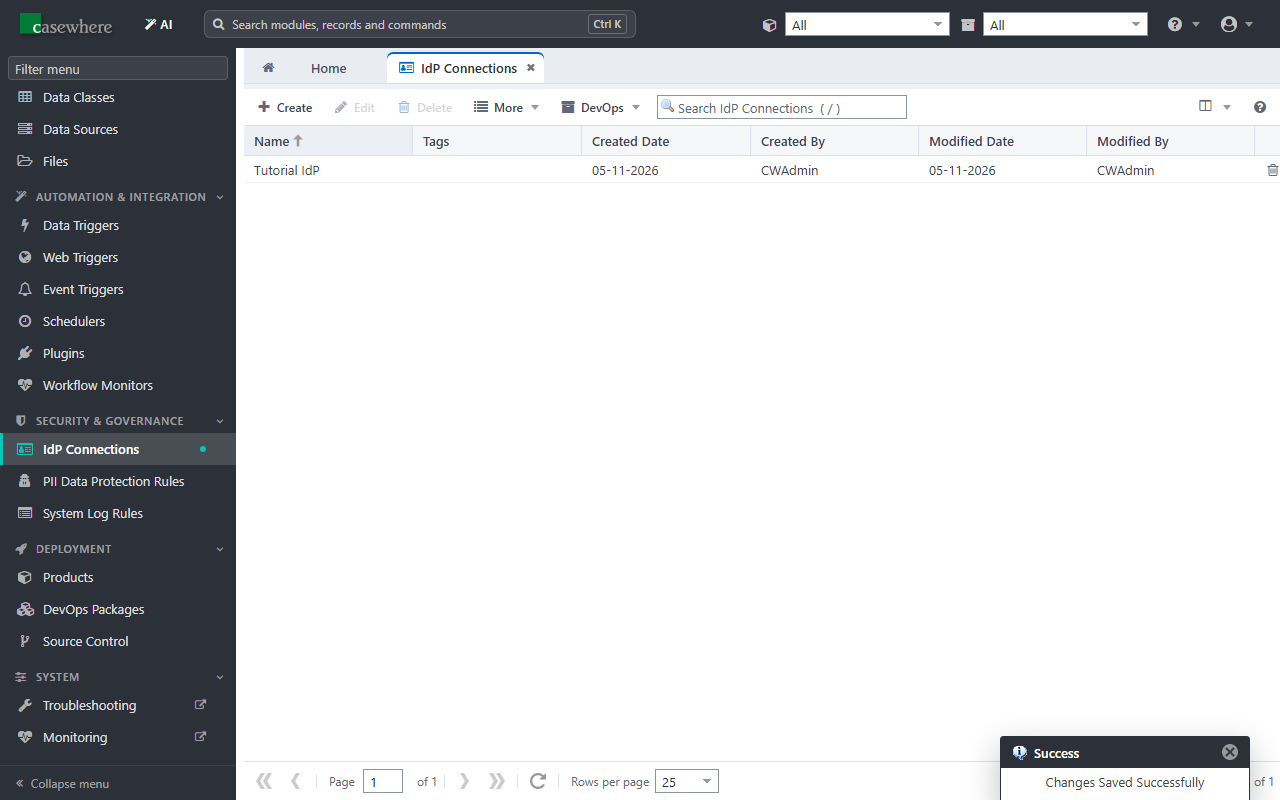
Click Save.
Tip
IdP connections don't belong to a product: several products and worker sites can share one.
Next: Create the worker sites.