Maintaining Casewhere solutions - Daily operations
Introduction
This document serves as a comprehensive resource tailored for IT administrators, system operators, and any personnel involved in the daily maintenance to ensure the seamless operation and optimal performance of Casewhere solutions.
Documentation and communication
Personnel
Creating a personnel list for daily operations is essential for maintaining transparency and assigning responsibilities effectively. Below is a template for a personnel list that you can customize according to your organization's structure and needs.
| Name | Roles | Responsibilities | Contact information |
|---|---|---|---|
| Jone Doe | System administrators | Be responsible for system health monitoring, server performance, and database connectivity | jone-doe@example.com |
| Jane Doe | Casewhere specialists | Provide IT supports, addresses technical issues related to the Casewhere platform | jane-doe@example.com |
Solution components
It's recommended to document all system components and their relations. This will aid in debugging and troubleshooting.
Solution diagram
Diagrams are always the best tools for describing solution architecture. A typical Casewhere solution can be illustrated as follows:

Component list
There is still a need to list all system components with detailed profiles, configurations, etc. For example:
| Name | Type | Description |
|---|---|---|
| Casewhere Web | VM | Cores: 8. RAM: 16GB. SSD 256GB. IP: x.x.1.3. Outbound IP: y.y.1.20 |
| Casewhere DB | VM | Cores: 8. RAM: 32GB. SSD 512GB. IP: x.x.1.5 |
| Identity Service | VM | Safewhere Identify |
| CVR | Datafordeler | Restful API |
| CPR | Service platform | Restful API |
| Digital Posts | Service platform | Restful API |
Others
Other things, such as domains and SSLs, must be documented. It's recommended to create reminders for SSL renewal.
Solution monitoring
Solution monitoring should be automated as much as possible. Daily reviews of notifications and alerts are essential to ensure seamless availability and performance. Detailed analysis can be conducted on suspicious or potentially high-risk threats.
Monitoring availability
Casewhere provides a health check endpoint at {worker_api}/api/v0.1/ping, which verifies the availability of Casewhere, including its web applications and associated databases. If your solution depends on external services, it is recommended to implement availability tests for publicly accessible services at a minimum.
The following screenshot demonstrates the use of Azure Monitor Standard Test to set up tests for monitoring the availability of Casewhere.

For on-premise solutions, Casewhere provides an external tool that continuously performs health checks and sends alerts to designated recipients when the system becomes unavailable.

Monitoring custom metrics
Each project has unique concerns and may require defining and monitoring specific metrics to ensure the solution meets expectations.
Casewhere offers standard components for monitoring system performance and generating insightful SLA reports. These components allow you to monitor individual resources (e.g., pages, workflows) or groups of resources, define service goals, and configure alert rules. Learn more here.
The following screenshot illustrates how Casewhere can manage and monitor various types of metrics.

Monitoring system resources
It is recommended to use the built-in monitoring tools provided by hosting providers. If these options are limited, you can also consider setting up alerts using Windows Performance Counters on both the Web Server and Database Server. Some typical monitoring metrics include:
- CPU utilization. For example, every 5 minutes, check and alert if the average CPU percentage in the last 30 minutes is greater than or equal to 85%.
- Memory consumption. For example, every 5 minutes, check and alert if the average available RAM percentage in the last 30 minutes is greater than or equal to 85%.
- Disk consumption. For example, every day, check and alert if the available space of the data disk is less than 10%.
- Error rate: For instance, every 5 minutes, check and trigger an alert if the total HTTP 5xx errors in the last 30 minutes exceed 10.
- Unusual slow: For example, check every minute and trigger an alert if the average response time over the last 5 minutes exceeds 10 seconds.

Monitoring applications
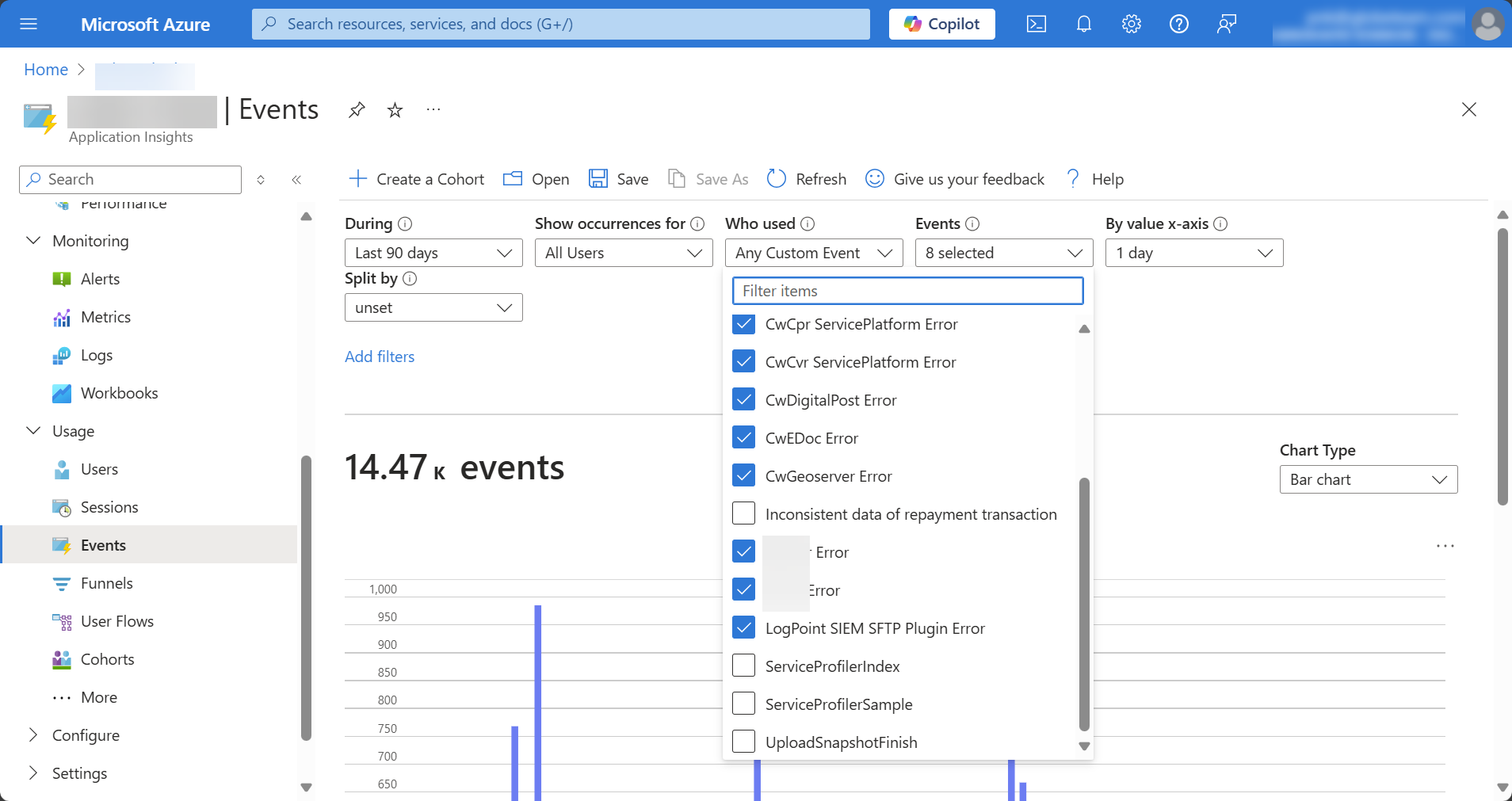
It is advisable to monitor critical components within the solution, including the payment gateway, mail service, CPR service, user authentication module, among others. Casewhere provides standard components for capturing custom events generated by the solution. You can integrate a variety of logging technologies to store events, ranging from cloud services like Azure Application Insights to local tools such as Windows Event Log. It's crucial to establish monitoring objectives and set up alerts accordingly.
The screenshot below shows how Casewhere collects custom events in Application Insights:
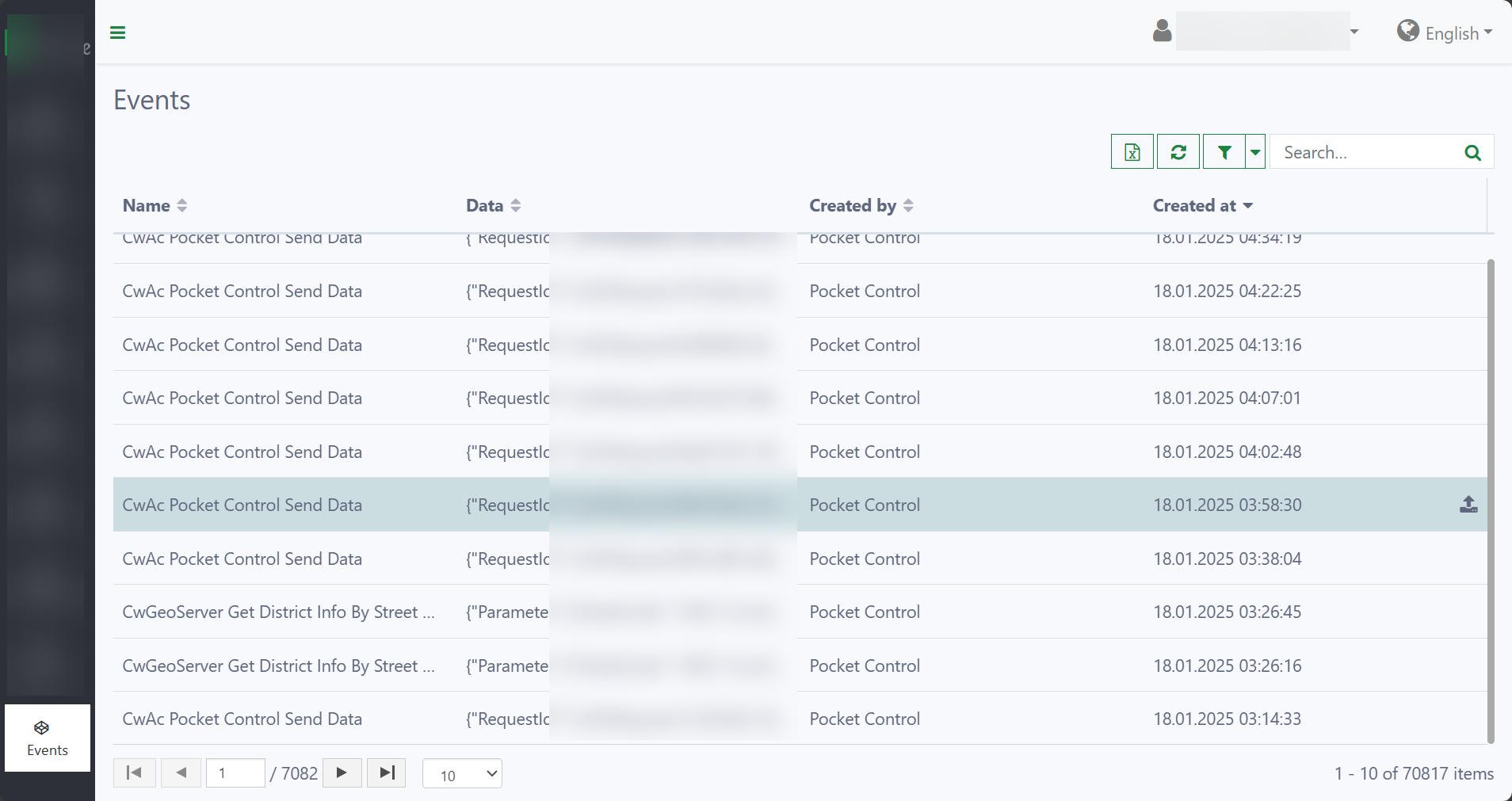
If integration with a cloud-managed service like Application Insights isn't possible, Casewhere provides a self-monitoring component that store and manage events within Casewhere and triggers custom alerts.

System backups and recovery
Backup procedures
The backup strategy should be able to provide multiple restore points for data recovery. It’s helpful to recover from a data corruption disaster. For example:
| Resource | Frequency | Time | Retention |
|---|---|---|---|
| MongoDB VM | Daily | 02:00 AM, UTC | 7 days |
| MongoDB VM | Monthly | 02:00 AM, UTC | 3 months |
| MongoDB VM | Weekly | 02:00 AM, UTC | 5 weeks |
Data verification
The IT personnel must regularly test if the backup is restorable to make sure there is no surprise during the disaster recovery.
Disaster recovery plan
The primary goals of the disaster recovery plan:
To minimize interruptions to normal operations.
To limit the extent of disruption and damage.
To minimize the economic impact of the interruption.
To establish alternative means of operation in advance.
To train personnel with emergency procedures.
To provide for smooth and rapid restoration of service
For any disaster scenario, the following elements should be addressed:
- Emergency response
- Notify customers, responsible personnel, and concerned parties immediately
- Consult with related parties to determine the degree of disaster and its impact on the business.
- Constantly monitor the disaster progress and keep parties updated.
- Backup data: Even when you have regular backups, an instant backup should be taken at the time of disaster if it’s still possible.
- Recovery actions
- Follow the strategic actions designed for the happening scenario.
- Ensure that all personnel involved know their tasks.
- Monitor the recovery progress and keep related parties updated.
- Send a service report to concerned parties after recovery.
Troubleshooting
When you need to conduct a thorough analysis to investigate an incident or a bug, familiarizing yourself with Casewhere logs is essential for troubleshooting problems in production. Casewhere currently provides the following types of logs:
- System log: Platform logs and application logs
- Performance log: The response time of all HTTP requests
- Audit log: Data changes, who, what, and when
You can learn more about Casewhere logs here.