Test a workflow
A workflow test runs a workflow as a user would, filling in its forms on the way, and checks what the workflow did. This article writes a test for the workflow DocsWf Submit Application of the documentation's examples.
The workflow under test
In DocsWf Submit Application, an applicant applies for the funding of a project:
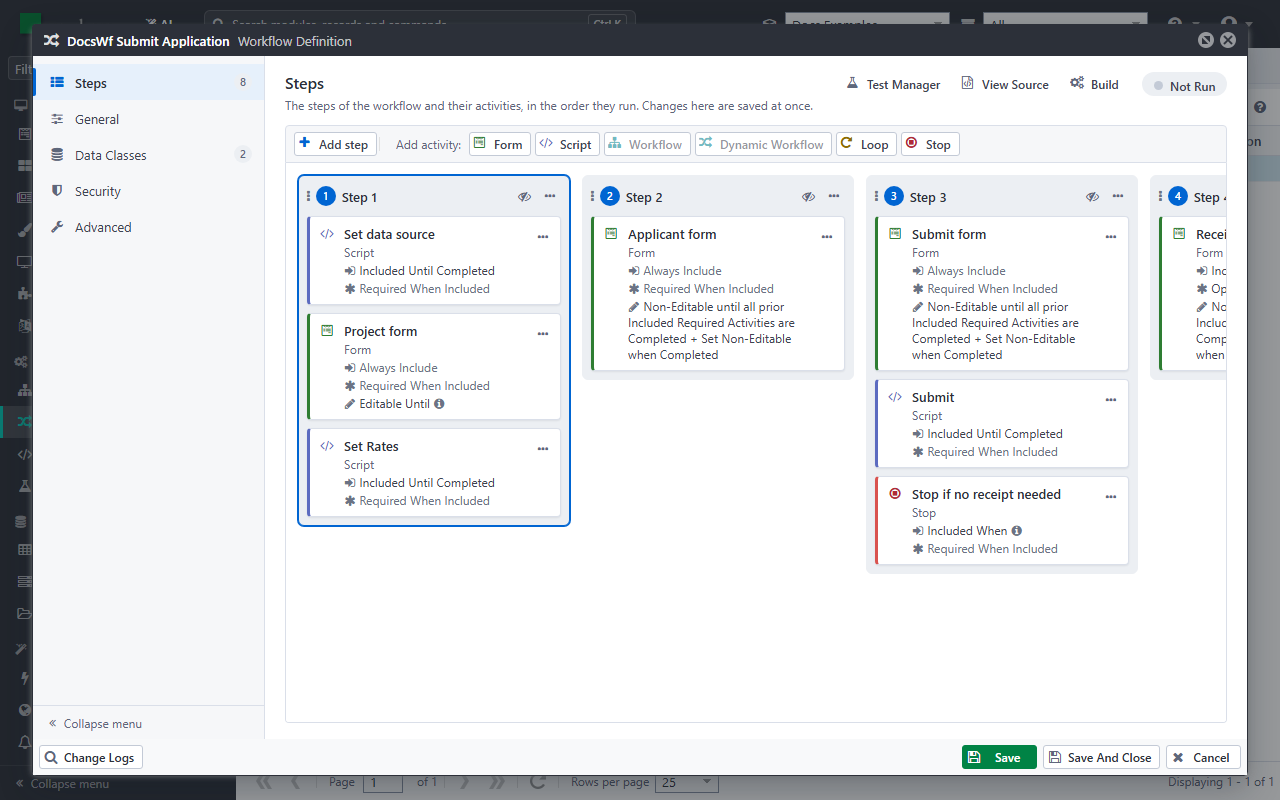
- Set data source, a script, finds the applicant with the full name of the user. It also sets the workflow variables
IsSubmittedandIsSkipReceipttofalse. - Project form: the title, the description and the requested amount of the project, in the data source
DocsWfProject. The project can be changed until the application is submitted. - Set Rates, a script.
- Applicant form: the details of the applicant, in the data source
DocsWfApplicant. - Submit form: the applicant accepts the terms, and can ask for no receipt (the workflow variable
IsSkipReceipt). - Submit, a script, marks the application as submitted:
IsSubmittedistrue. - Stop if no receipt needed ends the workflow when the applicant asked for no receipt.
- Receipt: the receipt of the application.
The test checks that a submitted application is saved, and that the applicant gets a receipt.
Create the test
In Tests, click Create, and fill in:
- Name: DocsWf Submit Application saves the application.
- Process: DocsWf Process, the process of the workflow.
- Resource Under Test: Workflow Definition, then DocsWf Submit Application.
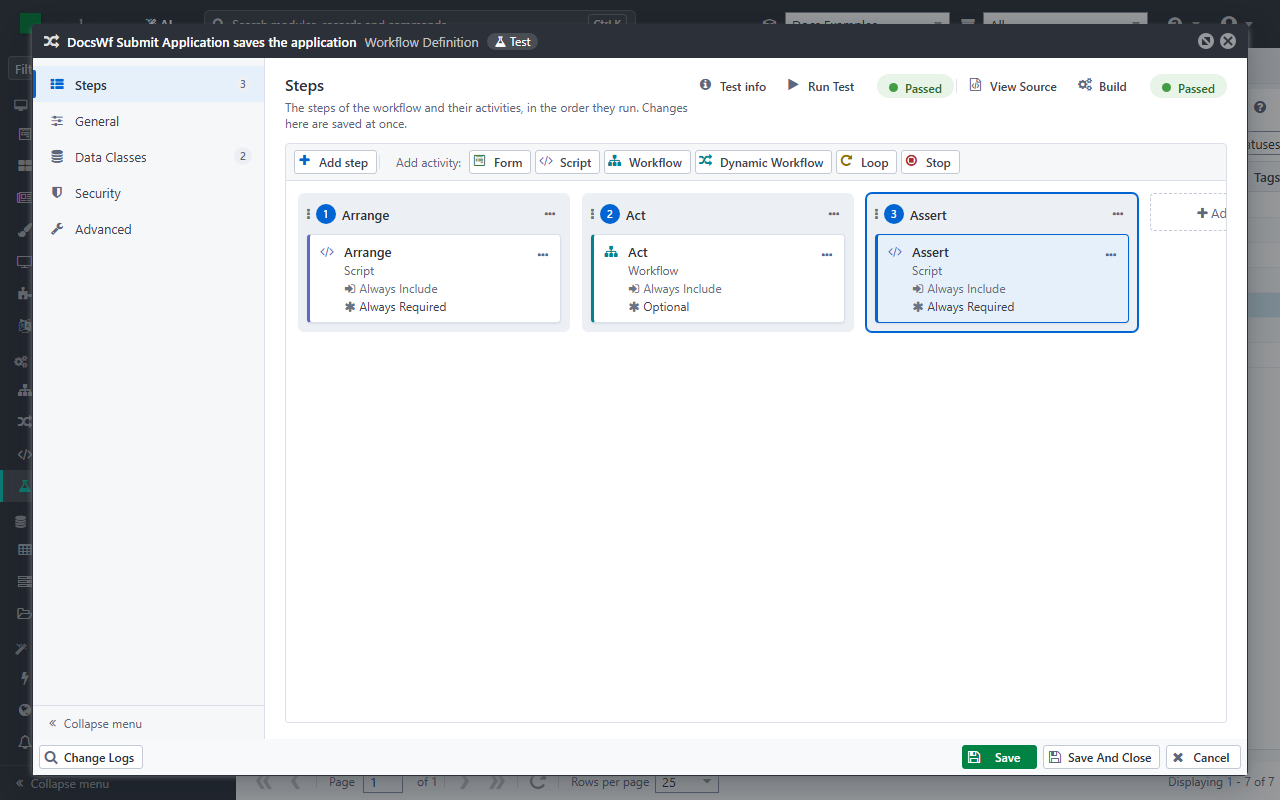
See Manage and run tests for the other settings. Click Save: the test workflow opens, with three steps, Arrange, Act and Assert.
Arrange: what the workflow needs
Arrange prepares what the workflow under test needs: the records it works on, the user it runs for, and what the user enters in its forms.
var testApi = ctx.Use<ITestApi>();
var identityApi = ctx.Use<IIdentityApi>();
const string workflow = "DocsWf Submit Application";

// The applicant: the workflow shows the applicant with the full name of the user
var applicantId = testApi.Create("DocsWfApplicant",
    new { FullName = "Test Applicant" }, "applicant");
identityApi.SetClaim("FullName", "Test Applicant");

// The forms, as the applicant fills them in
testApi.Submit(workflow, "Project form", FormSubmittedDataObject.Create("DocsWfProject",
    new { Title = "Community garden", RequestedAmount = 25000 }));
testApi.Submit(workflow, "Applicant form", FormSubmittedDataObject.Create("DocsWfApplicant",
    applicantId, new { FullName = "Test Applicant", Address = "Main Street 1, Aarhus" }));
testApi.Submit(workflow, "Submit form",
    FormSubmittedDataObject.Create("DocsWfApplicant", applicantId, new { AgreeTerms = true }),
    FormSubmittedDataObject.Create("WorkflowVariables", new { IsSkipReceipt = false }));
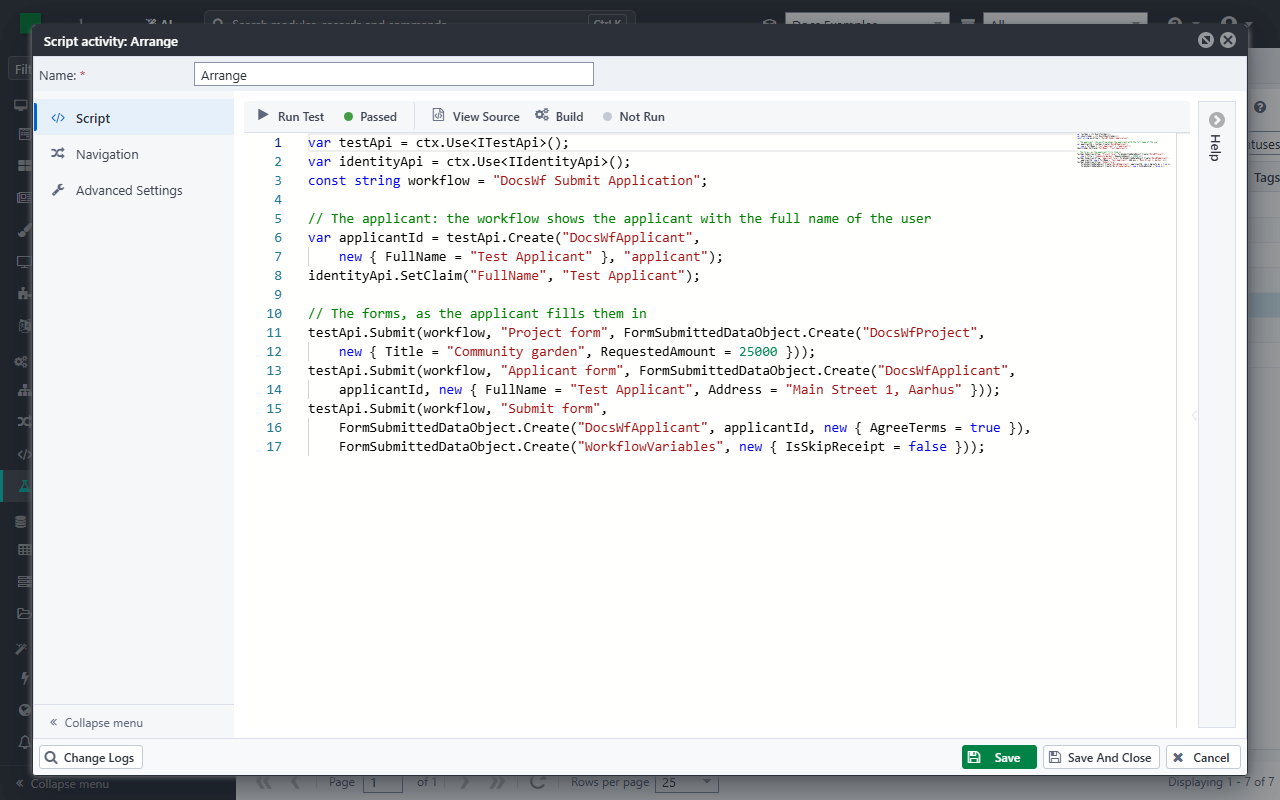
testApi.Createsaves a record for the test, here the applicant, and returns its ID. The nameapplicantkeeps the ID for the next steps. The records thatCreatesaves are removed when the test ends.identityApi.SetClaimgives the user of the test a claim. Set data source looks the applicant up by the full name of the user.testApi.Submitis what the user enters in a form: oneFormSubmittedDataObjectfor each data source the form saves. The form uses it when the workflow gets to it. Give the ID of the record when the form changes an existing record, as the Applicant form does. The workflow variables of a form are in the data sourceWorkflowVariables.
A form takes the data as a user would post it: a field of the form that you leave out is saved empty. That is why the data of the Applicant form has the full name of the applicant too: without it, the form would clear it. A form that gets no data is posted empty, and the workflow stops at it when it has required fields.
Act: run the workflow
Act has a workflow activity that starts the workflow under test. A workflow that creates a case, as this one does, runs in a new case of the Process of the activity: the process of the test. Any other workflow runs in the case of the test.
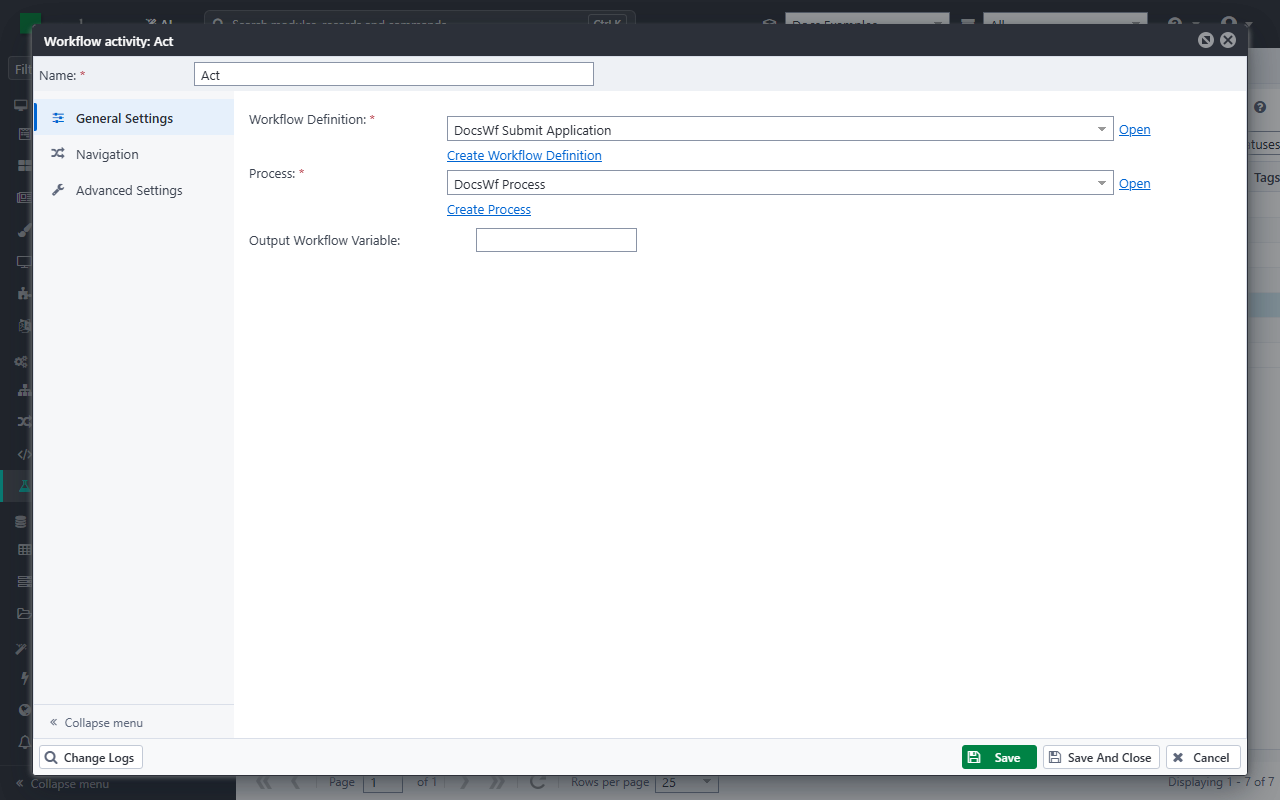
Act is optional: when the workflow under test fails, or stops at a form it cannot get past, the test still goes on to Assert. That is why Assert checks that the workflow ran to the end.
When the workflow under test requires an input, the Act that Casewhere makes gives it the workflow variable input of the test, in its Input Data Objects:
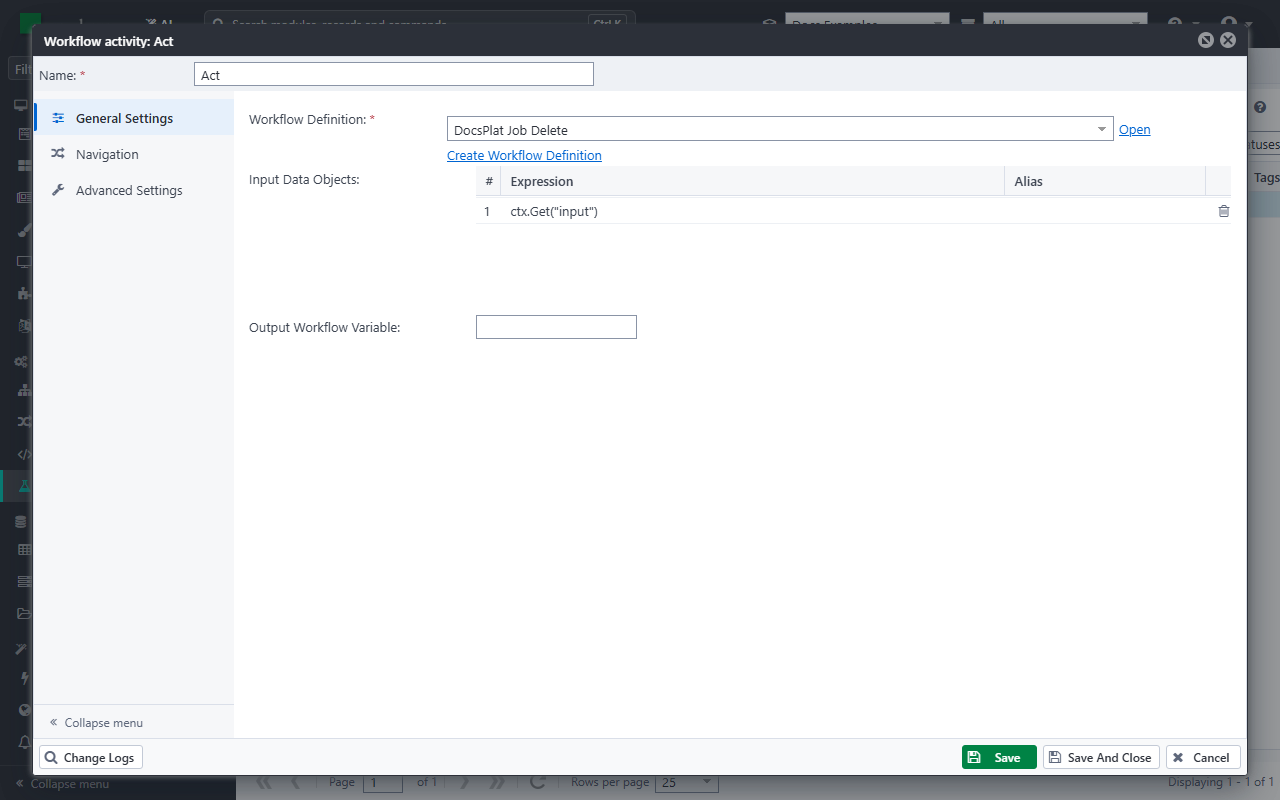
Set that variable in Arrange, for example to the ID of a record that the test creates. The workflow DocsPlat Job Delete deletes the job it gets as its input:
var testApi = ctx.Use<ITestApi>();

// The input of the workflow under test: an inactive job
ctx.Set("input", testApi.Create("DocsPlatJob", new { Name = "Old import job", IsActive = false }, "job"));
Assert: check the outcome
Assert runs after the workflow under test, and checks what it did:
var testApi = ctx.Use<ITestApi>();
var dataApi = ctx.Use<IDataApi>();
const string workflow = "DocsWf Submit Application";

// The workflow ran to the end and saved the project
testApi.True(testApi.IsWorkflowCompleted(workflow), "The application is submitted");
var project = testApi.Ref(workflow, "DocsWfProject");
testApi.True(project != null, "The project is saved");

// What the workflow did with the data
var applicantId = testApi.Get<string>("applicant");
var foundId = testApi.Get<string>(workflow, "ApplicantId");
testApi.Check(foundId == applicantId, "The workflow finds the applicant of the user");
testApi.Check(project.Get<string>("Title") == "Community garden", "The project has its title");
testApi.Check(project.Get<double>("RequestedAmount") == 25000, "The requested amount is saved");
var applicant = dataApi.Load(applicantId);
testApi.Check(applicant.Get<string>("Address") == "Main Street 1, Aarhus", "The address is saved");
testApi.Check(testApi.Get<bool>(workflow, "IsSubmitted"), "The application is marked submitted");
testApi.Check(testApi.IsActivityCompleted(workflow, "Receipt"), "The applicant gets a receipt");

// The project is not test data: remove it
dataApi.Delete(project.Get<string>("Id"));
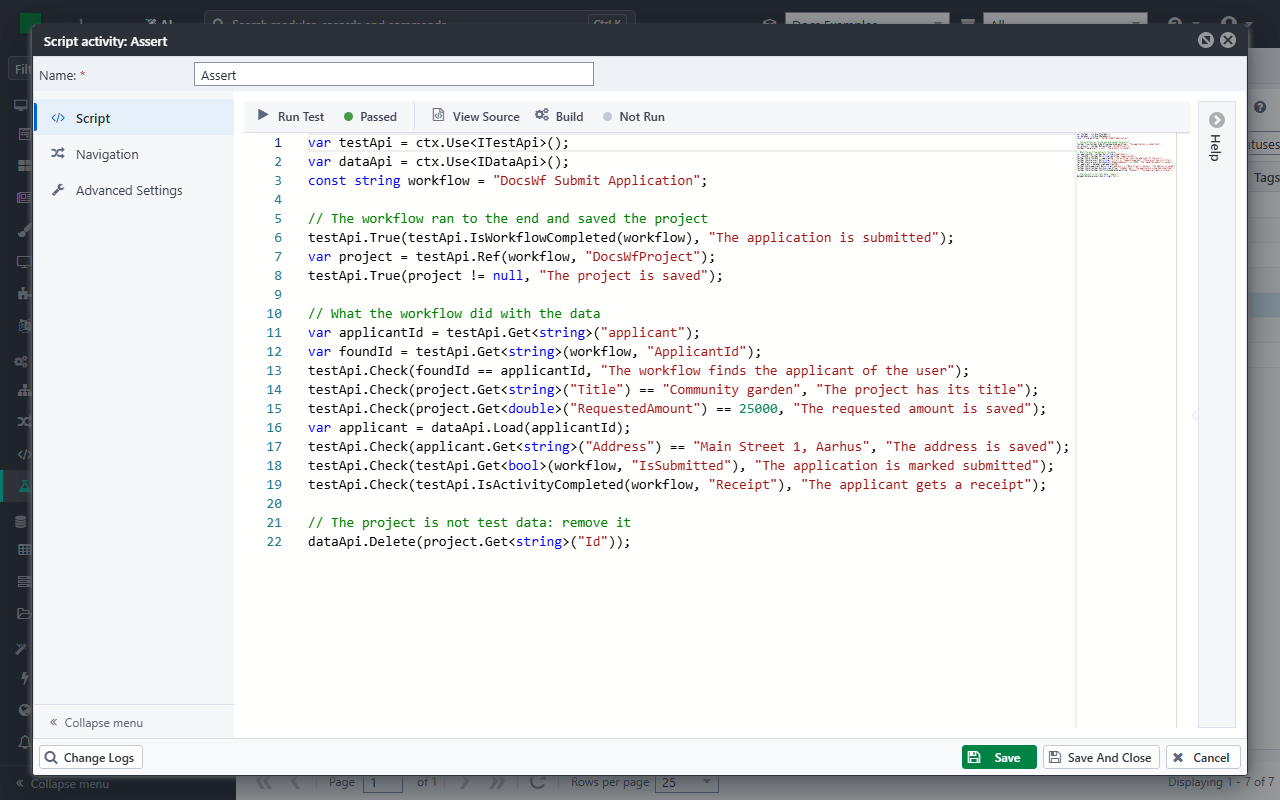
IsWorkflowCompletedtells whether the workflow ran to the end, andIsActivityCompletedwhether an activity did.Refloads the record that the workflow saved in a data source.Get<T>(workflow, variable)reads a workflow variable of the workflow under test.Get<T>(name)reads a value the test kept.Truestops the test when its condition is false: the checks after it would make no sense without a saved project.Checknotes a failed check and lets the test go on, so that one run tells you about all the checks.
The records that the workflow under test saves stay when the test ends: only the records of testApi.Create are removed. The test removes the project itself, at its end. A teardown workflow can do it too (see Create a test).
Run the test
Click Build to check that the scripts compile, then click Run Test. The result of the run shows next to Run Test:
When a check fails
When the workflow does not do what a check expects, the test fails. For example, a test that expects the requested amount to be 30000 fails, because the workflow saved 25000. Click Failed for the details of the run: Error lists the reasons of the checks that failed.
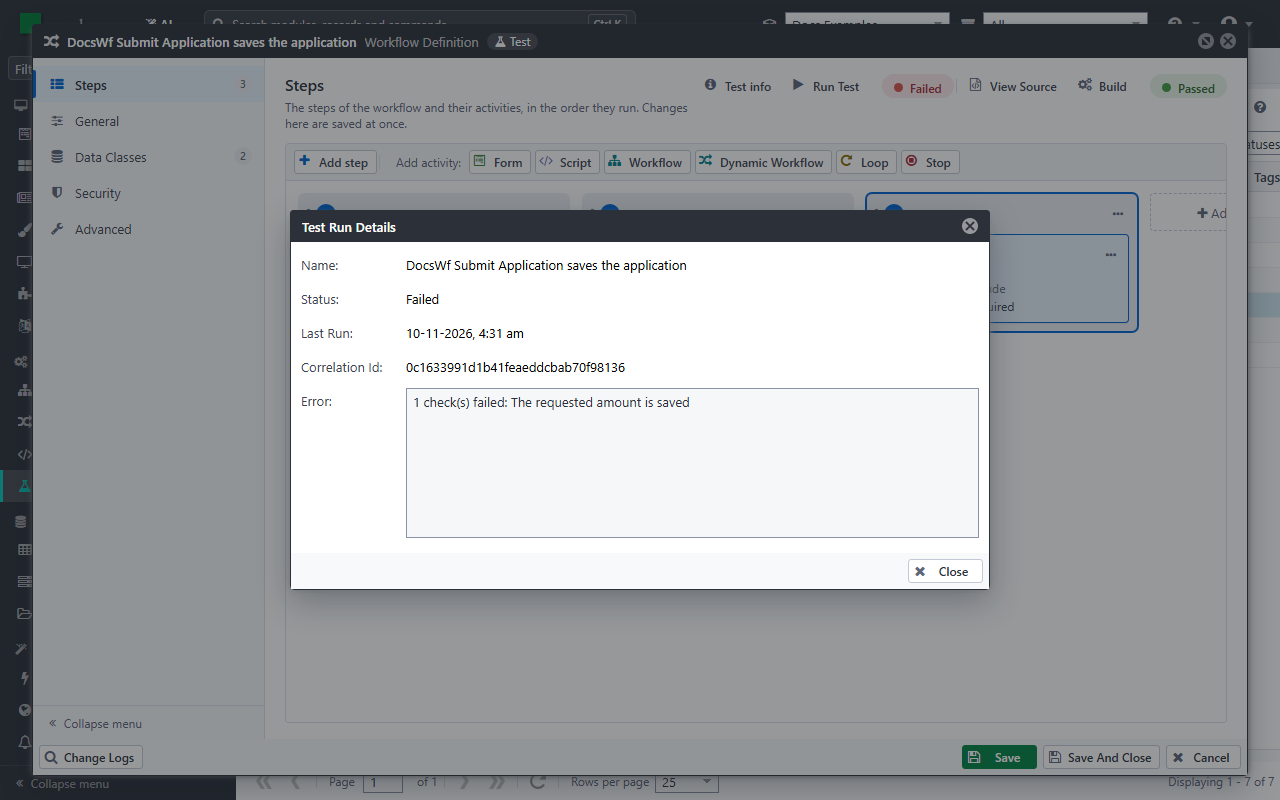
When a script fails, or True or False stops the test, Error shows the error and where it happened. The Correlation Id finds the log entries of the run in the system log viewer, with what the scripts of the test wrote with Log.Info.
Replace a plugin call
A workflow that calls a plugin, for example to send an email or to call another system, should not do it in a test. SimulatePluginInvocation in Arrange replaces the calls of a plugin method with a result of your own:
var result = new PluginResult { Data = new Dictionary<string, object>() };
result.Data.Add("Greeting", "Hello from the test");

testApi.SimulatePluginInvocation("HelloWorld", "HelloWorldMethod")
    .Parameters(p => p["Name"].ToString() == "Maja")
    .Returns(result);
With .Parameters, only the calls with matching parameters get the result: the other calls call the plugin. Without it, all calls of the method get the result. It works for plugins with methods, such as the HelloWorld plugin of Plugin development.
Next
- Test workflow navigation: check the route a workflow takes.
- Test API: all the methods of the test API.